

Product tour
A day, in the order it happens
Four stops: the day view before the doors open, the month when you are planning, your team’s phones on the floor, and the back office after close. Real screens, not mockups.
- Real product screens
- No sign-up to look
- Gaps listed on the roadmap
01 Before the doors open
The day, one column per person
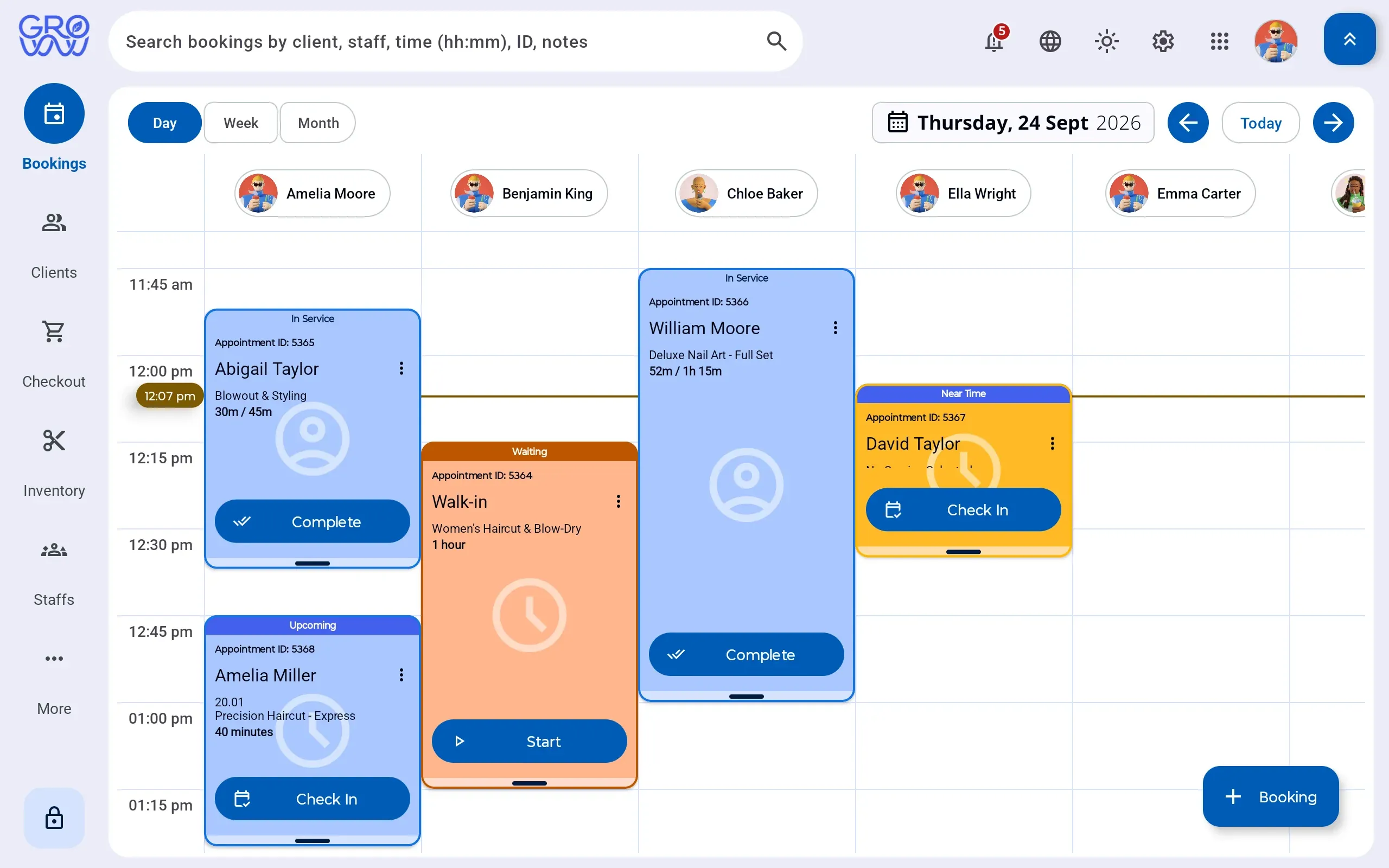
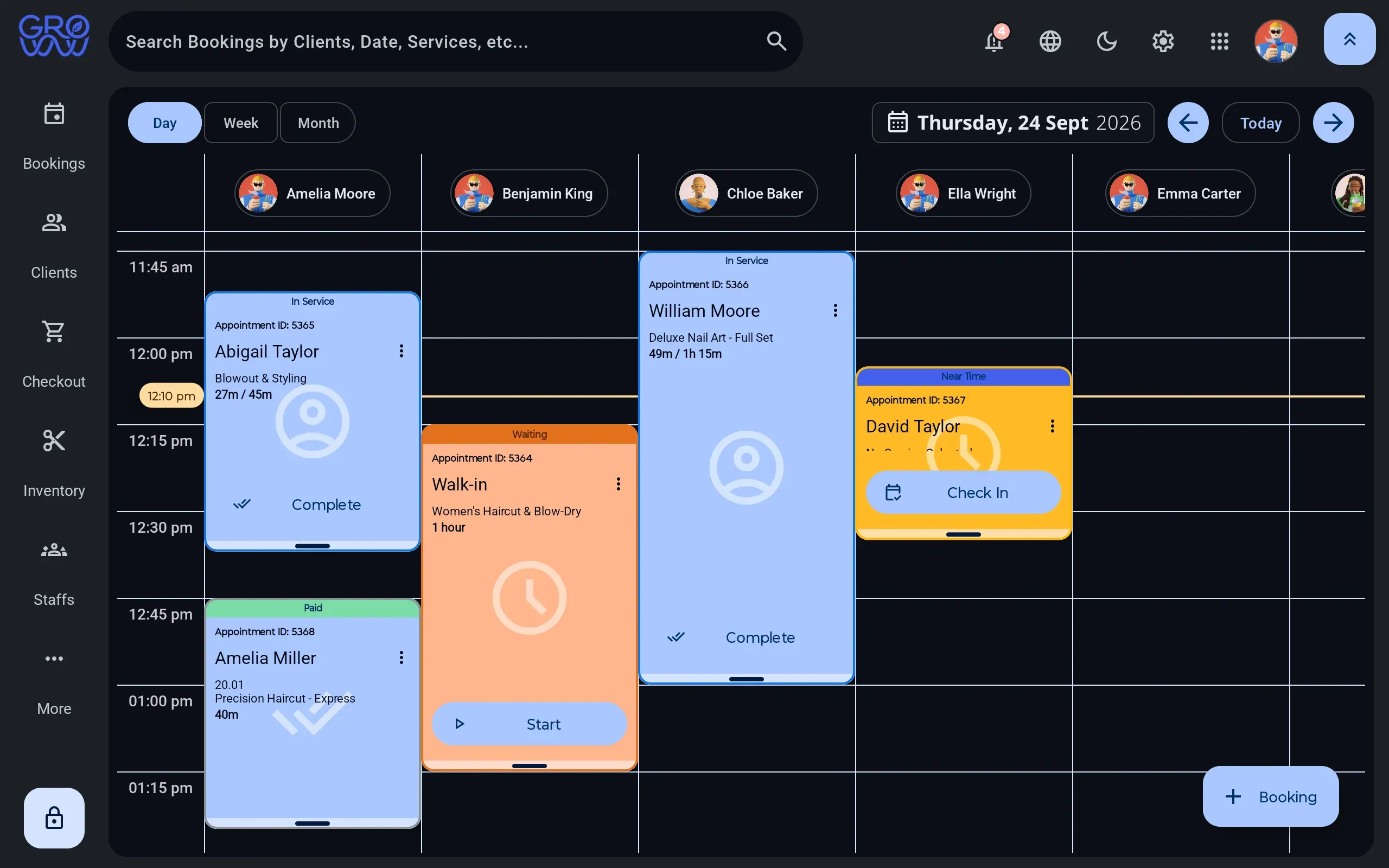
Open the tablet and the day is already laid out — a column per staff member, each appointment carrying its status, and the client due next carrying a Check In button. Nobody has to interpret anything.
- Drag to reschedule
- Buffer and cleanup time on the service
- Walk-ins into the next real gap
02 Planning the month
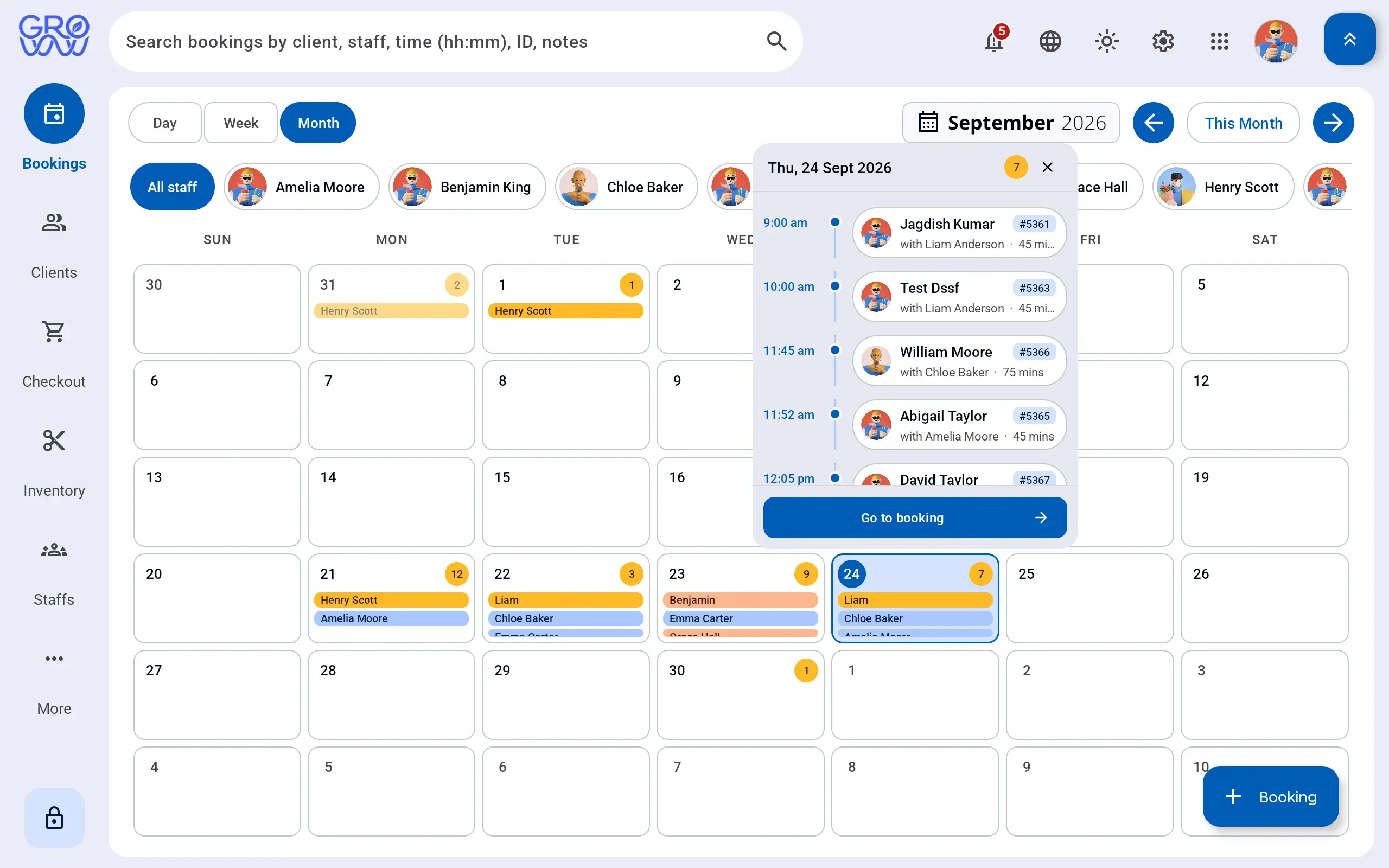
A month you can filter to one person
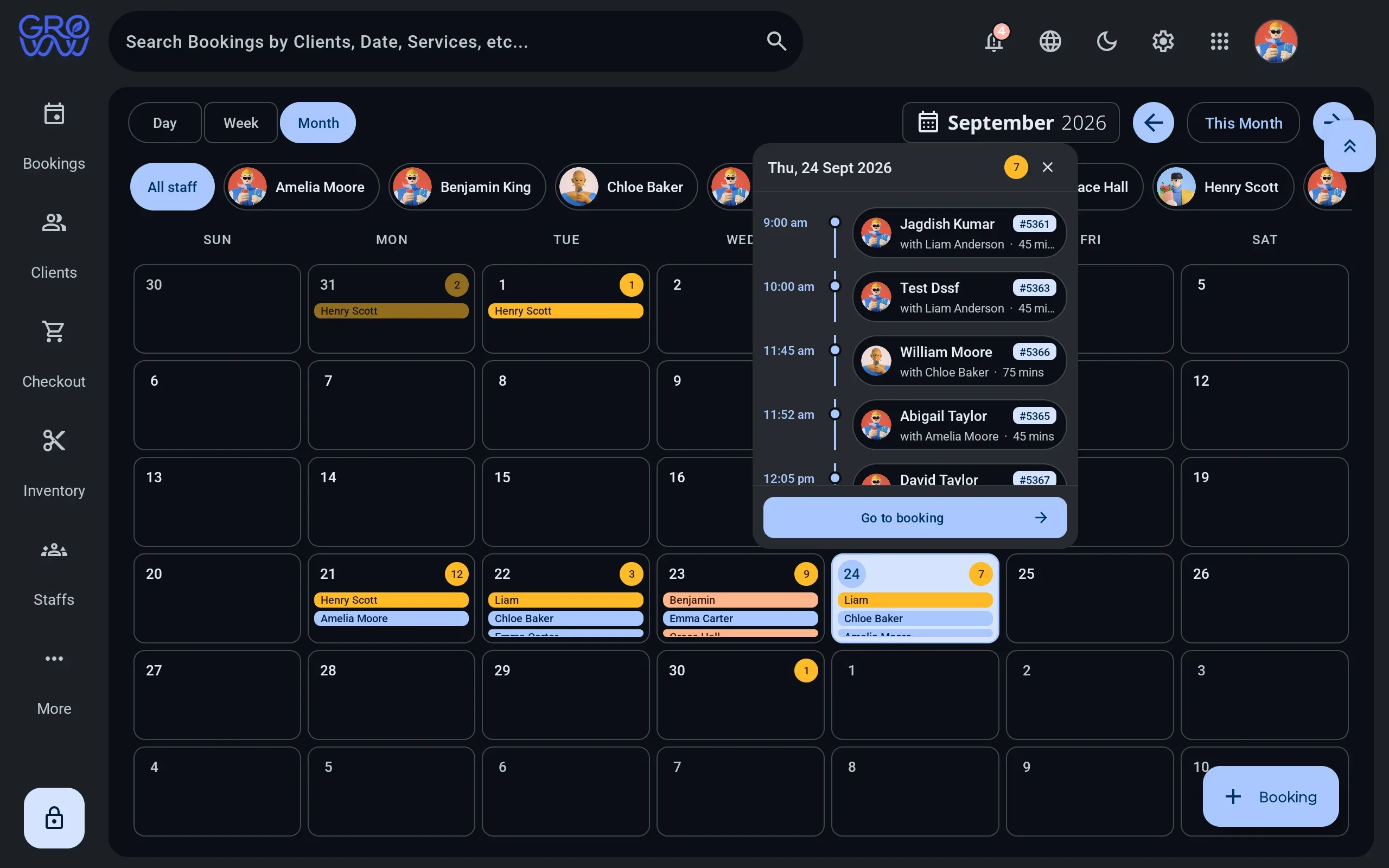
Filter the month to the staff you care about and each day shows who is booked and how heavy it is. Open any day in place rather than navigating away and back.
- Per-staff filter chips
- Appointment count per day
- Day panel without leaving the month
03 On the shop floor
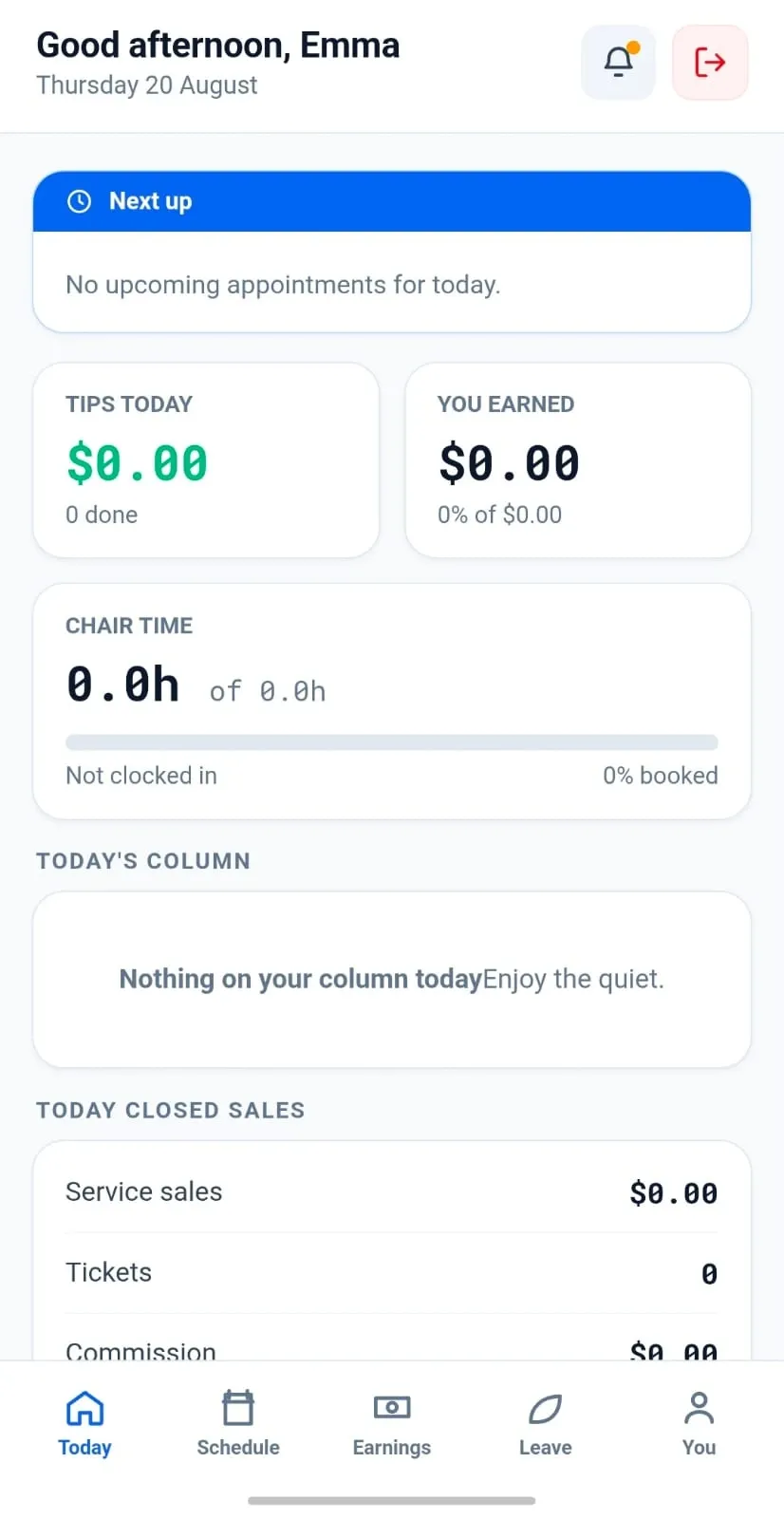
Your team, on their own phones
Staff see their own day, their own clients and what they have earned — without being handed the till, the reporting or anyone else’s numbers. Permissions decide the rest.
- Today, schedule, earnings, profile
- Commission and tips as they accrue
- Availability toggled by the staff member
04 After close
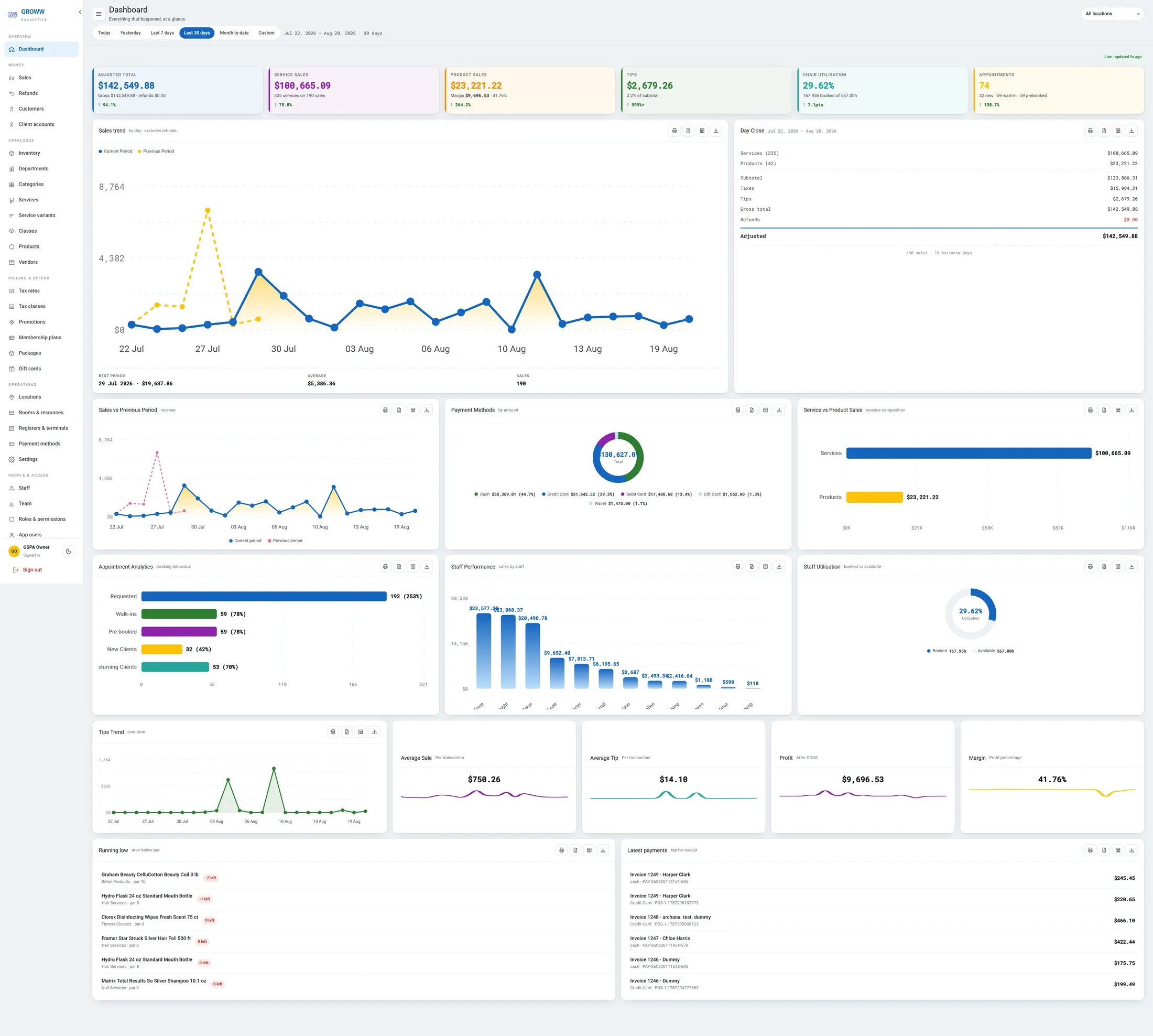
The numbers, without a spreadsheet
BackOffice closes the loop: takings, the trend against the previous period, where the money came from, which staff earned it, and what is running low on the shelf.
- Day close and adjusted totals
- Payment method split by amount
- Staff performance and utilisation
The tour is short because the product is direct
A demo on your own terminal fills in the parts a page cannot — bring a real week and the awkward question.