

Flagship feature
Customer app
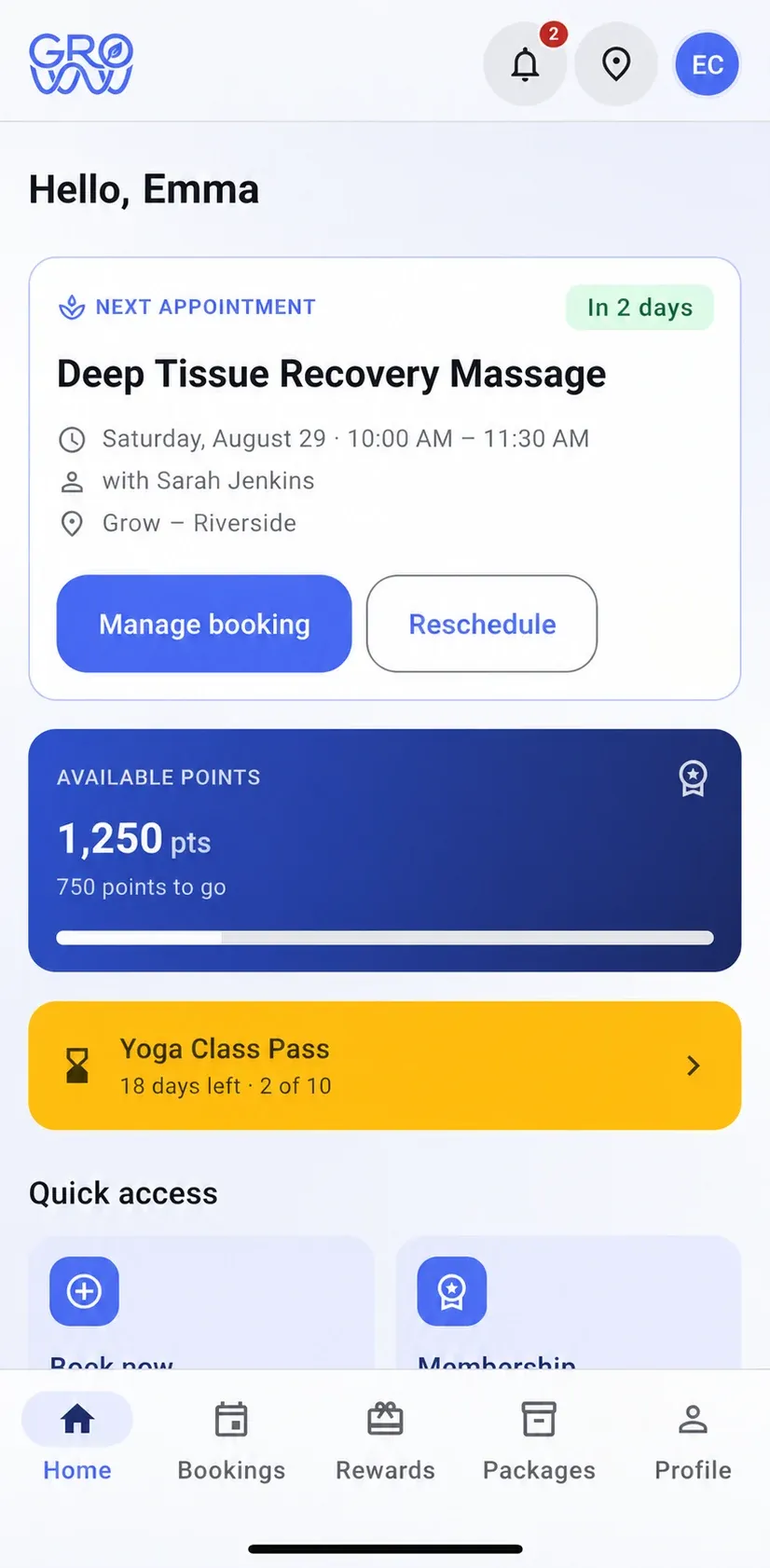
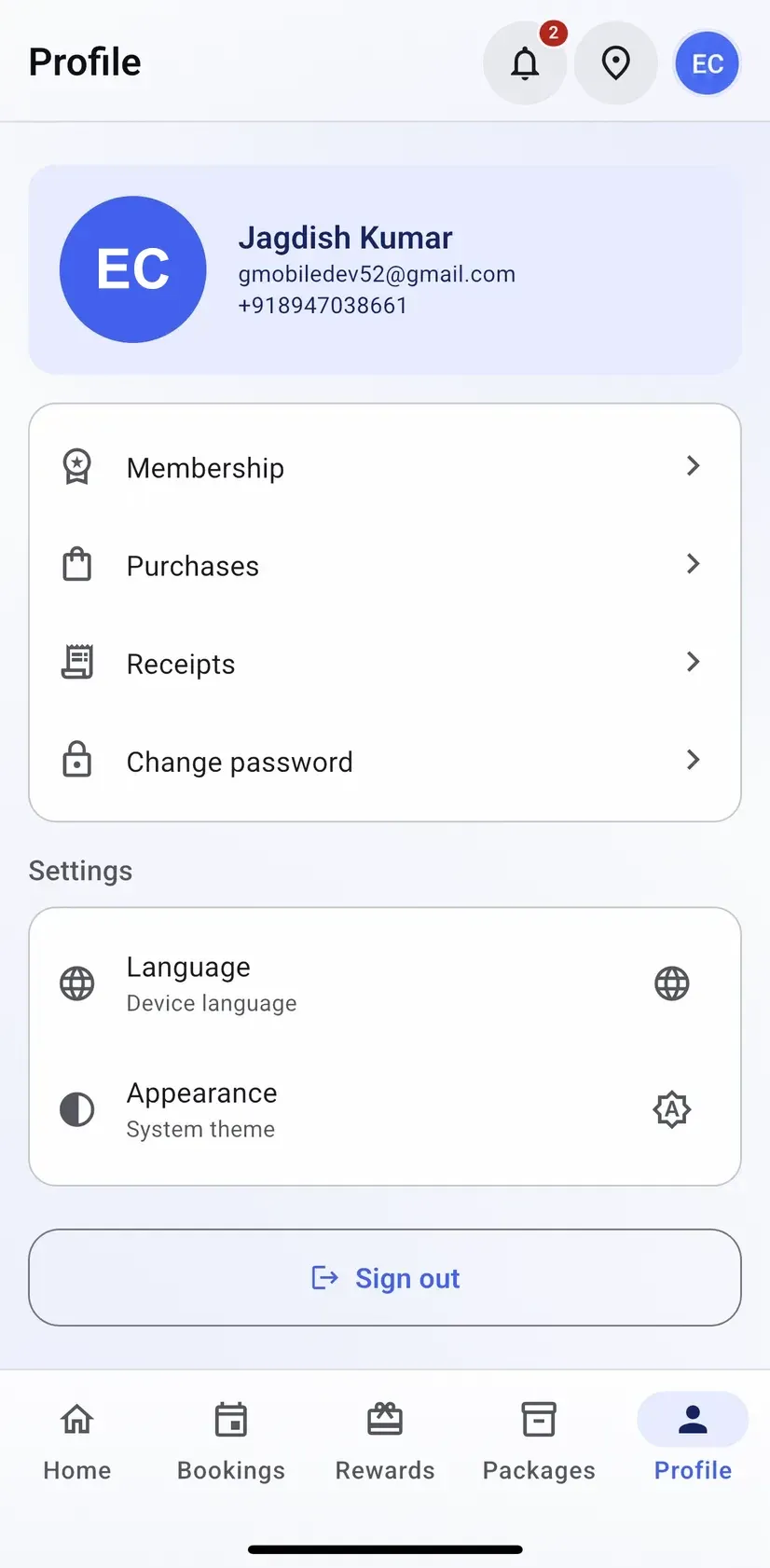
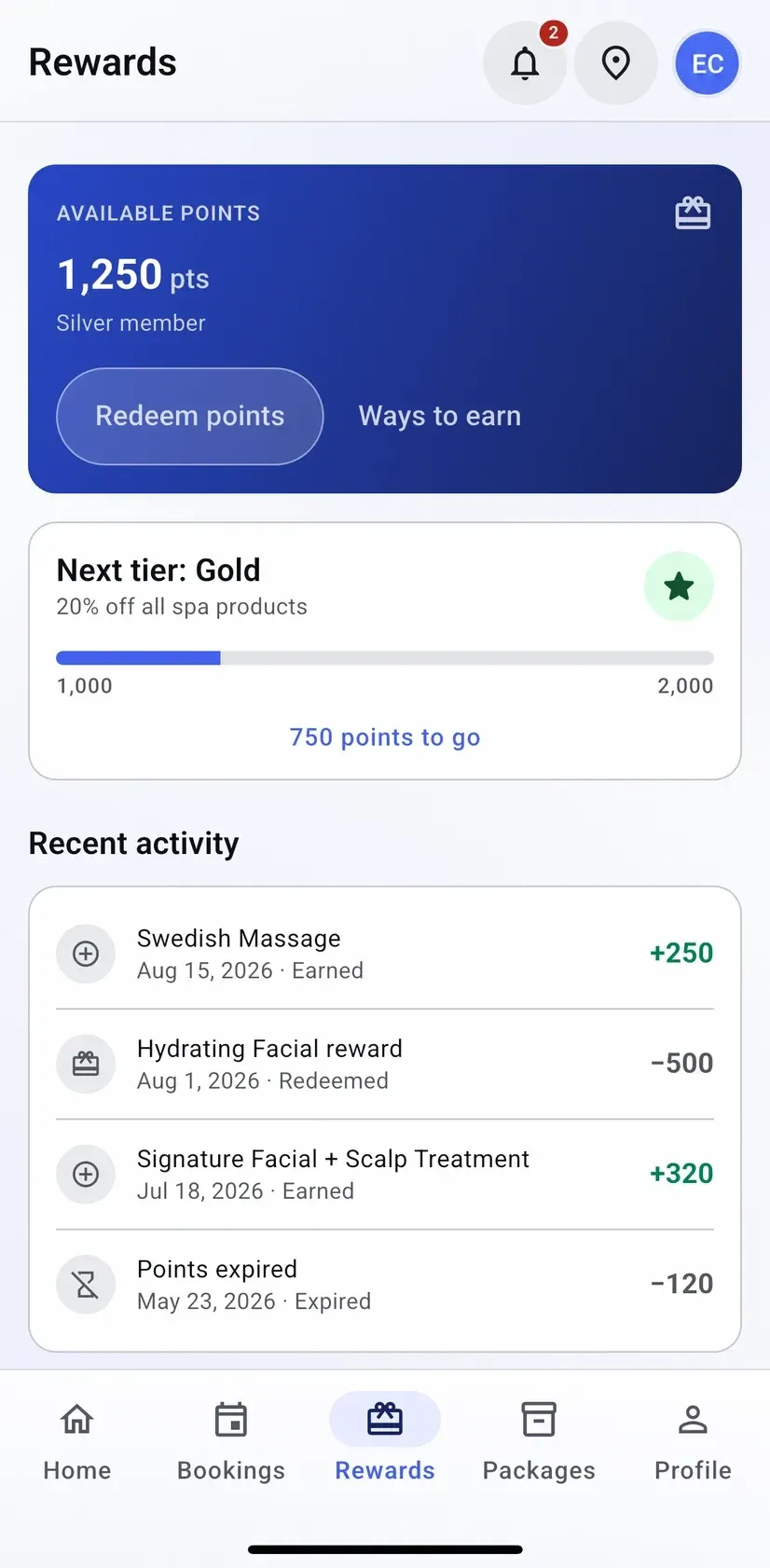
Your clients get their own app — on iPhone, Android or the web — where they book their next appointment against your live calendar, and see the points, membership, packages and receipts that were previously only visible at your counter.
- Your terminal, your negotiated rate
- No marketplace commission
- Gift card, loyalty and split tenders
What it does
Everything on this list is in the product today. What is not built is on the roadmap, not in this column.
- Sign up and sign in with the email address you already hold for them No new identity to create — the client you already have is the account.
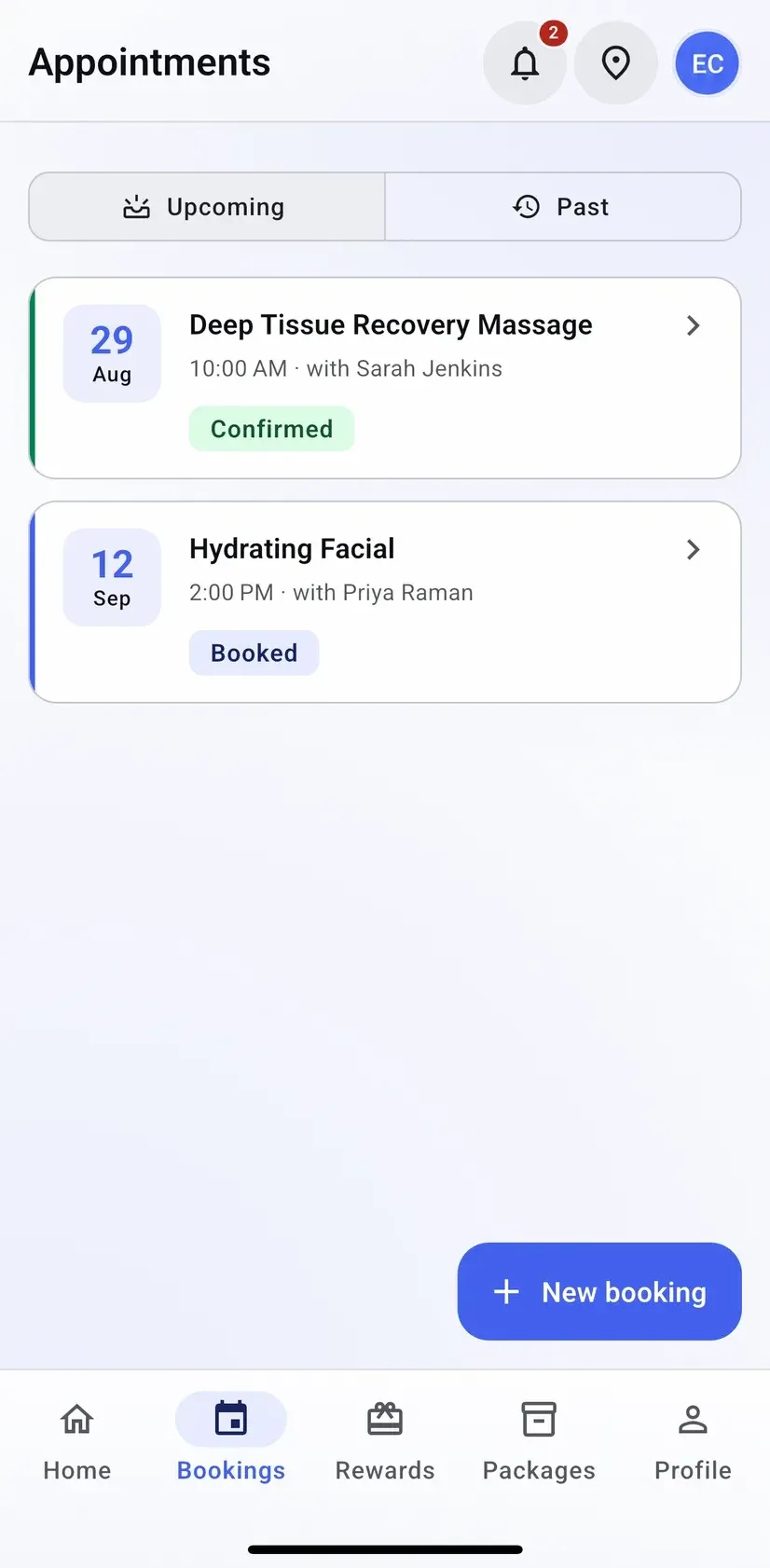
- Upcoming and past appointments, with status on each one Confirmed, booked or completed, without phoning the desk to check.
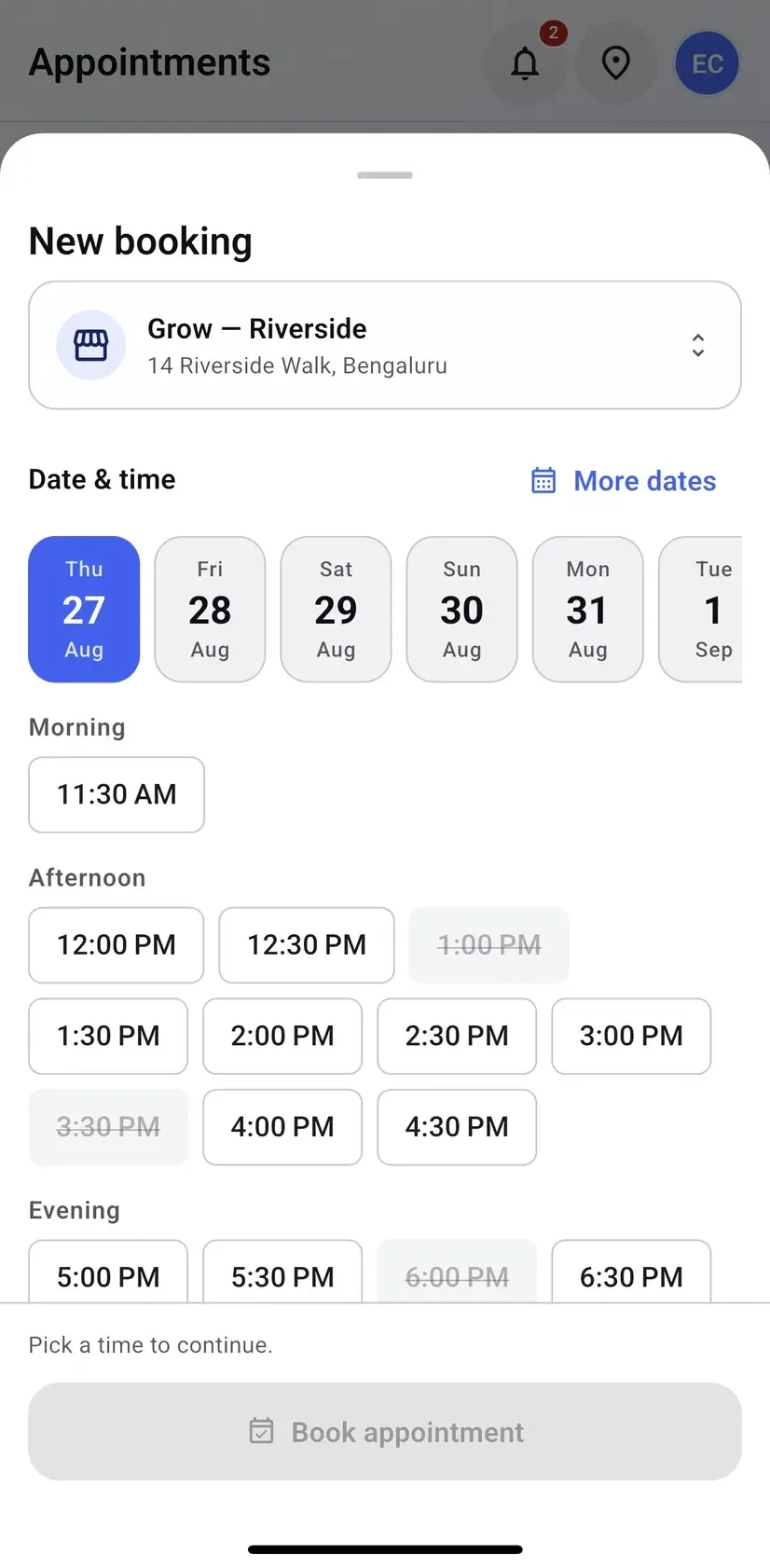
- Self-booking against real availability, location by location They see the same free slots your calendar sees, and the taken ones struck out.
- Reschedule or manage a booking without phoning the desk A move at nine on a Sunday costs the front desk nothing.
- Loyalty points, tier progress and the full earn-and-redeem ledger The balance is visible between visits, which is when it changes behaviour.
- Membership status, benefits and the next renewal date What they pay for and when it renews, in their hand rather than at your counter.
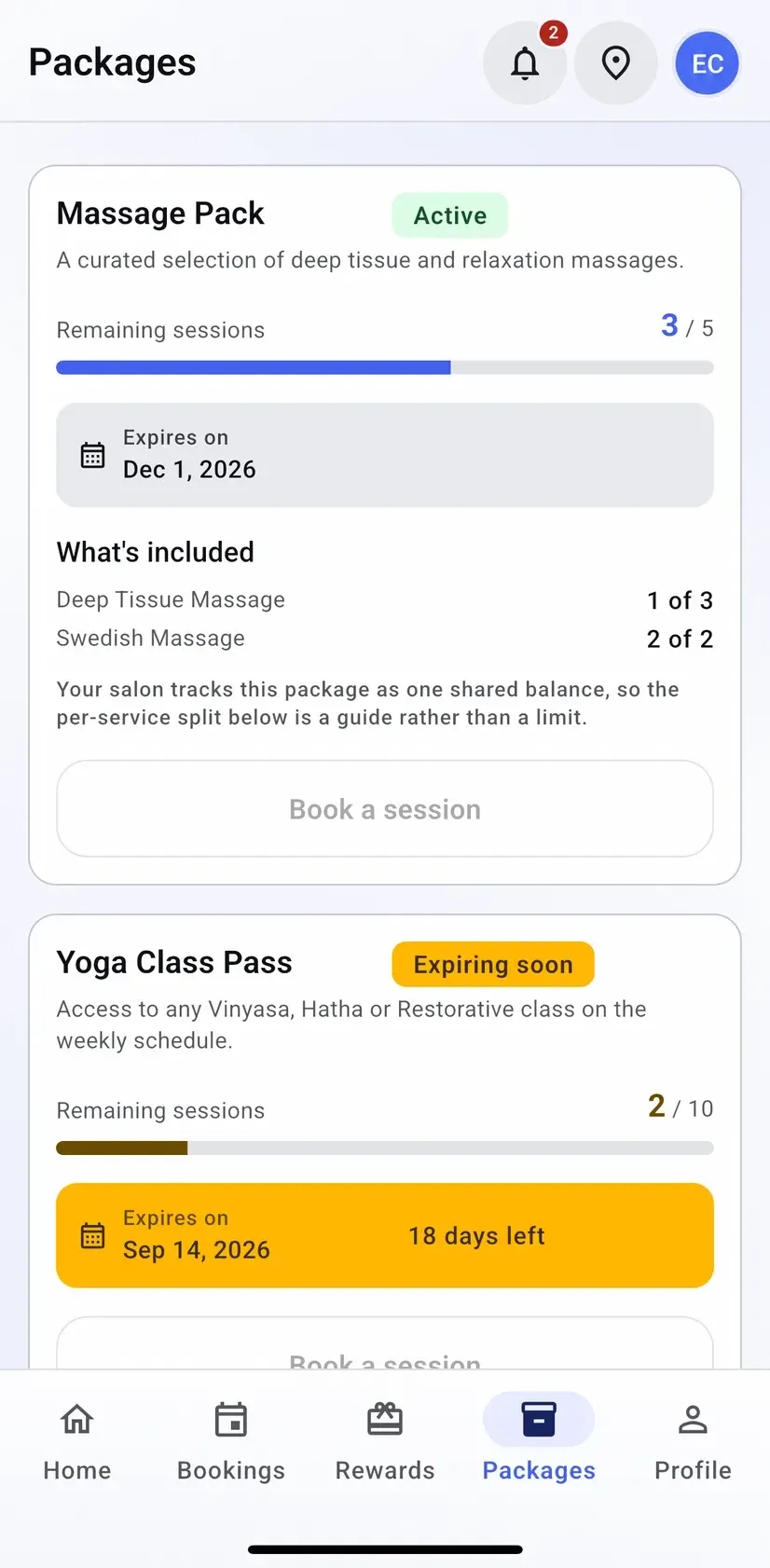
- Package balances — sessions left, what is included, when it expires An expiring pass is a booking, provided the client can see it expiring.
- Purchase and receipt history Every receipt kept, so the request for a copy stops being a task for you.
- Profile, language, appearance and notification preferences Their app, in their language, on their notification terms.
The gap this closes
For most of this site’s life there was one honest answer to “can my clients book themselves?” — no. It was the largest functional gap against the category leaders, it was written on the feature pages rather than hidden, and it sat at the top of the roadmap.
It is built. Clients sign in with the email address you already hold for them, see the appointments they have with you, and book the next one against the calendar your front desk is actually working from. Nothing is scraped into a separate availability copy that drifts by Saturday afternoon.
What a client sees, and what they do not
The app is a window onto their own record and nothing else. Their appointments, their points, their membership, their packages, their receipts. Not your takings, not your staff’s commission, not another client’s history — the same permission boundary that keeps a stylist out of the reporting screen keeps a client inside their own row.
Booking that respects your rules
A slot is offered only when it exists. Service duration, buffer and cleanup time, staff availability, and the resource the service requires are all applied before the app draws a time button — which is why the booking sheet shows some times struck through rather than pretending the day is wide open. A client who books at 11:30 on Thursday has taken a slot the desk could have sold, and the desk sees it immediately.
The balances people forget they have
Packages expire. Points expire. Memberships renew on a date nobody remembers. Those are the three things clients ring the desk about, and all three are now a tap away — with the expiring ones flagged on the home screen rather than buried. A client who can see two sessions left on a class pass with eighteen days to run is a client who books them.
What is not in it yet
Class booking and enrolment, gift card balance lookup and joining a waitlist are not in the app today. They are the next three things going into it, and they are on the roadmap in that order rather than described here as though they shipped.
Switch with zero downtime
Changing software mid-season is the thing every owner dreads. Here is exactly how it goes.
- 1
We import your data
Clients, services, staff, price list and future appointments — from a spreadsheet or an export from your current platform.
- 2
You keep trading
Run both systems for a week if you want. Nothing is switched off until your team says so.
- 3
Your terminal stays
PAX, Dejavoo or Valor — the hardware you already own and the rate you already have. No re-application, no new merchant account.
Questions we get asked
Which devices does the customer app run on?
iPhone, Android and the browser — the same three the staff app runs on. The POS at the counter is the only piece with a device requirement, and that one is an Android tablet.
Does a client booking in the app land on our calendar?
Yes, on the same day grid the front desk works from. The slots the app offers come from your real availability, your service durations and your buffer and cleanup rules, so a booking that appears is a booking that fits.
Is this a marketplace?
No, and it will not become one. The app shows a client the businesses they already deal with. There is no discovery feed, no ranking and no commission on a booking — that is a decision on the roadmap page, not an oversight.
Can clients enrol themselves into a class?
Not yet. Class booking and enrolment is the next thing being added to the app; today classes are enrolled by staff from the tablet, with the waitlist behind them.
Can they check a gift card balance in the app?
Not yet. Gift card balance lookup and joining a waitlist are both planned and listed on the roadmap rather than implied here.
Do clients have to use it?
No. Everything in the app is also reachable at the counter, and a client who never installs it is served exactly as before. Nothing about your day depends on their adoption.
Works with
- Booking & calendar A horizontal day grid with a column per staff member, room or chair — drag to reschedule, with buffer and cleanup time built into the service rather than remembered by the front desk.
- Memberships & packages Recurring memberships and prepaid packages that hold a real balance — checked at the counter in a tap, drawn down at checkout, and visible on the client record rather than in a notebook.
- Clients One record per client with visit history, notes, reminders, loyalty balance, package balances and membership entitlement — and no marketplace sitting between you and them.
Explore every feature
Scheduling & checkout
Clients & staff
Keep your terminal. Keep your rate. Keep every feature.
Groww POS runs on the PAX, Dejavoo or Valor terminal you already own — no features held back, no marketplace commission.