

Apps & downloads
One system, five surfaces, and only two of them are fussy about the device
The POS needs an Android tablet, because the day calendar and the cart need the screen, and the self check-in tablet on the front desk is one too. Everything after that meets people on the device they already own: BackOffice in any browser, and Groww Staff and Groww Customer on iPhone, Android or the web. Here is what each does and exactly where each one stands.
- POS and self check-in on an Android tablet
- BackOffice in any browser
- Groww Staff & Groww Customer anywhere
Where each one stands today
- Groww POS — Android tablet. Shipping; Play Store listing coming soon.
- BackOffice — web only, and available with your account today.
- Groww Staff — iPhone, Android and web. Shipping; store listings coming soon.
- Groww Customer — iPhone, Android and web. Shipping; store listings coming soon.
- Groww Self Check-In — Android tablet. In development.
One system, five ways in
The counter, the self check-in tablet, back office, your team’s phones and your client’s phone — all on the same bookings and client records.
-
Groww POS
- Android
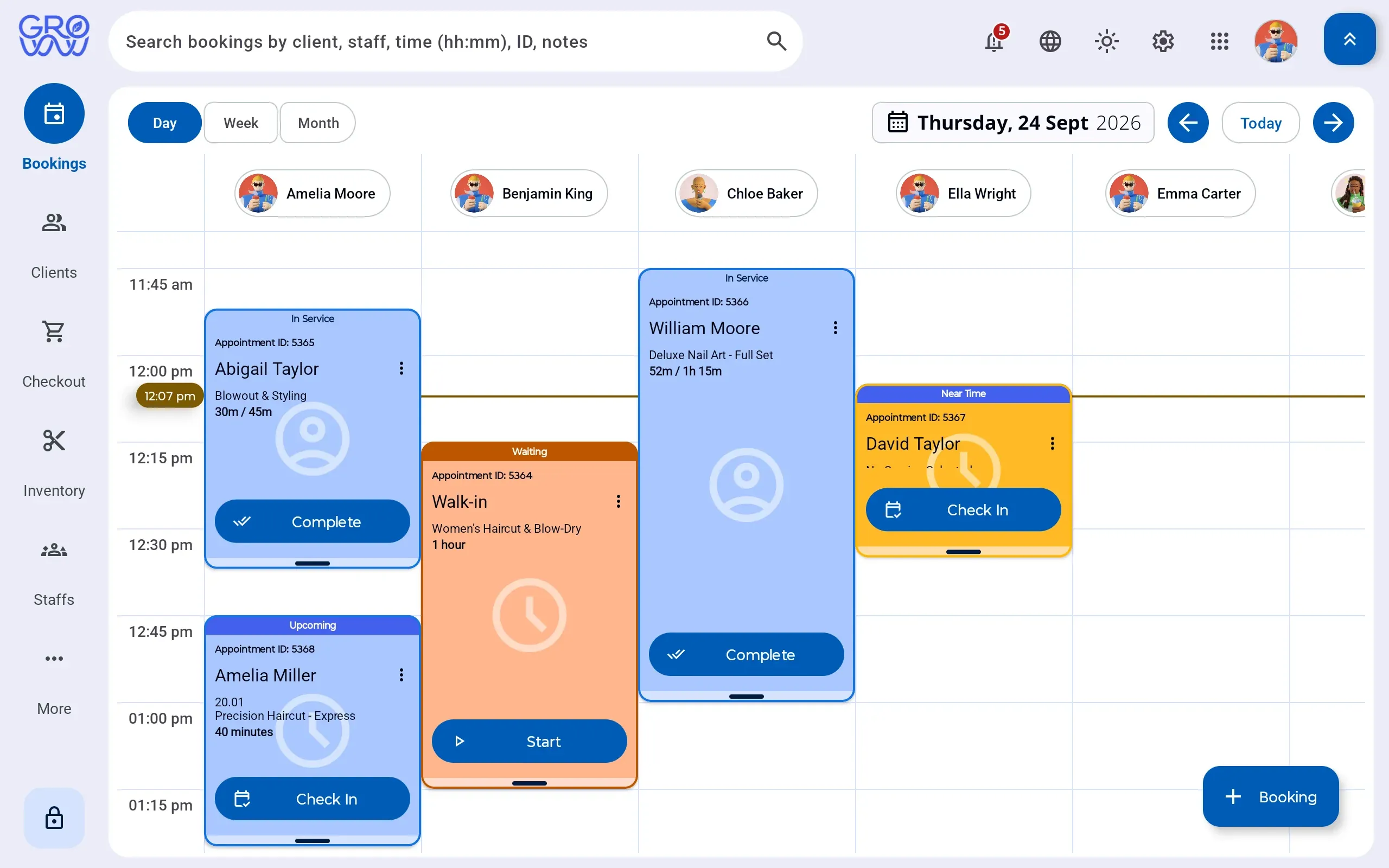
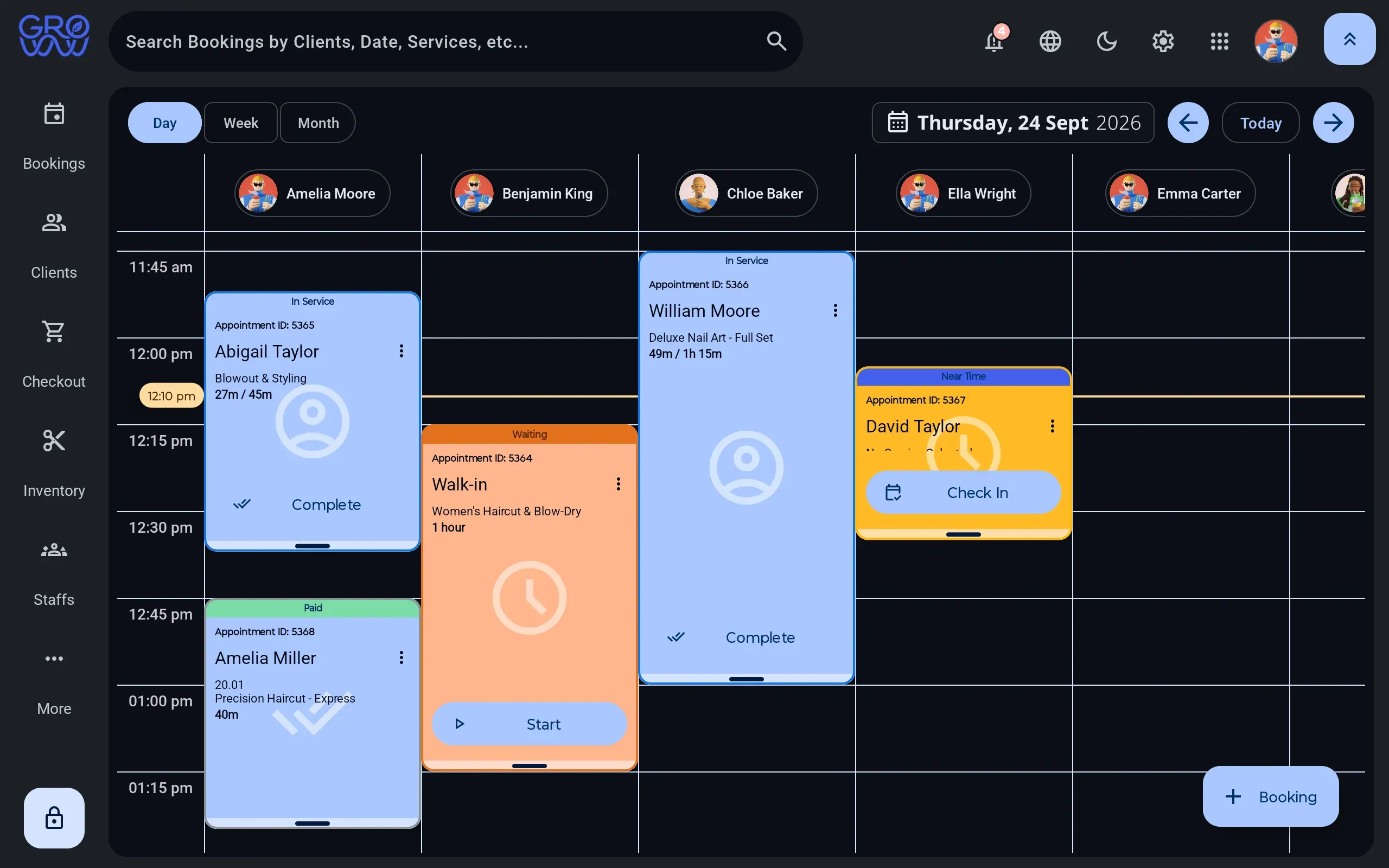
The app your team works in all day — calendar, checkout, terminal, clients, stock. Built for a tablet on the counter, and it keeps taking sales when the internet drops.
- Booking, checkout and every tender
- Drives your PAX, Dejavoo or Valor terminal
- Offline mode with deferred upload
- English, Spanish and French
- Clients, memberships, packages and loyalty

Shipping — Google Play listing coming soon
- New
Groww Customer
- iPhone
- Android
- Web
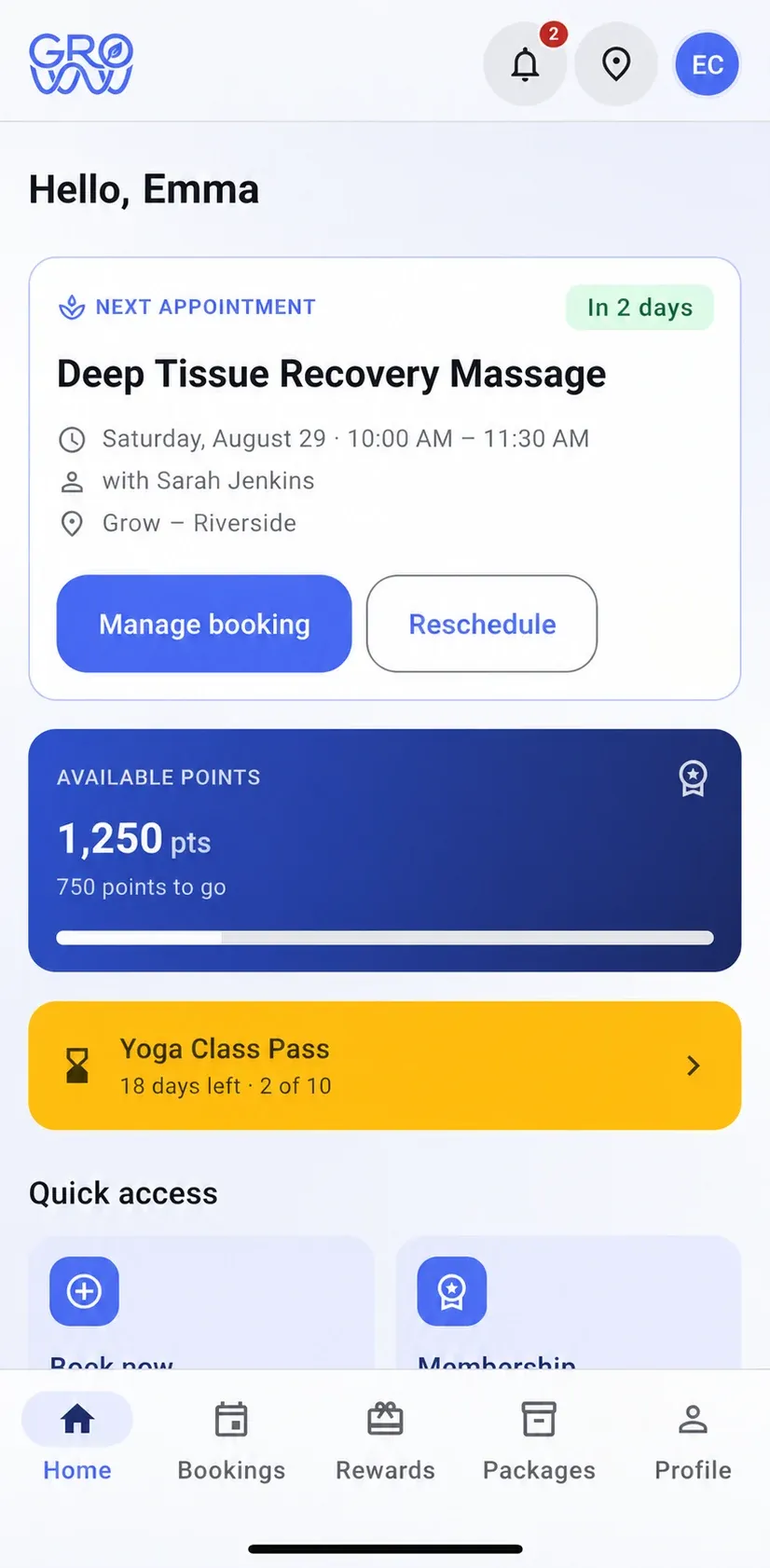
The app your clients carry: their appointments, their points, their membership and their package balances — and a booking screen that reads your real calendar.
- Book, reschedule and manage appointments
- Loyalty points, tier progress and rewards
- Membership, package balances and expiry dates
- Receipts, purchases and profile preferences

Shipping — App Store and Google Play listings coming soon
-
Groww Staff
- iPhone
- Android
- Web
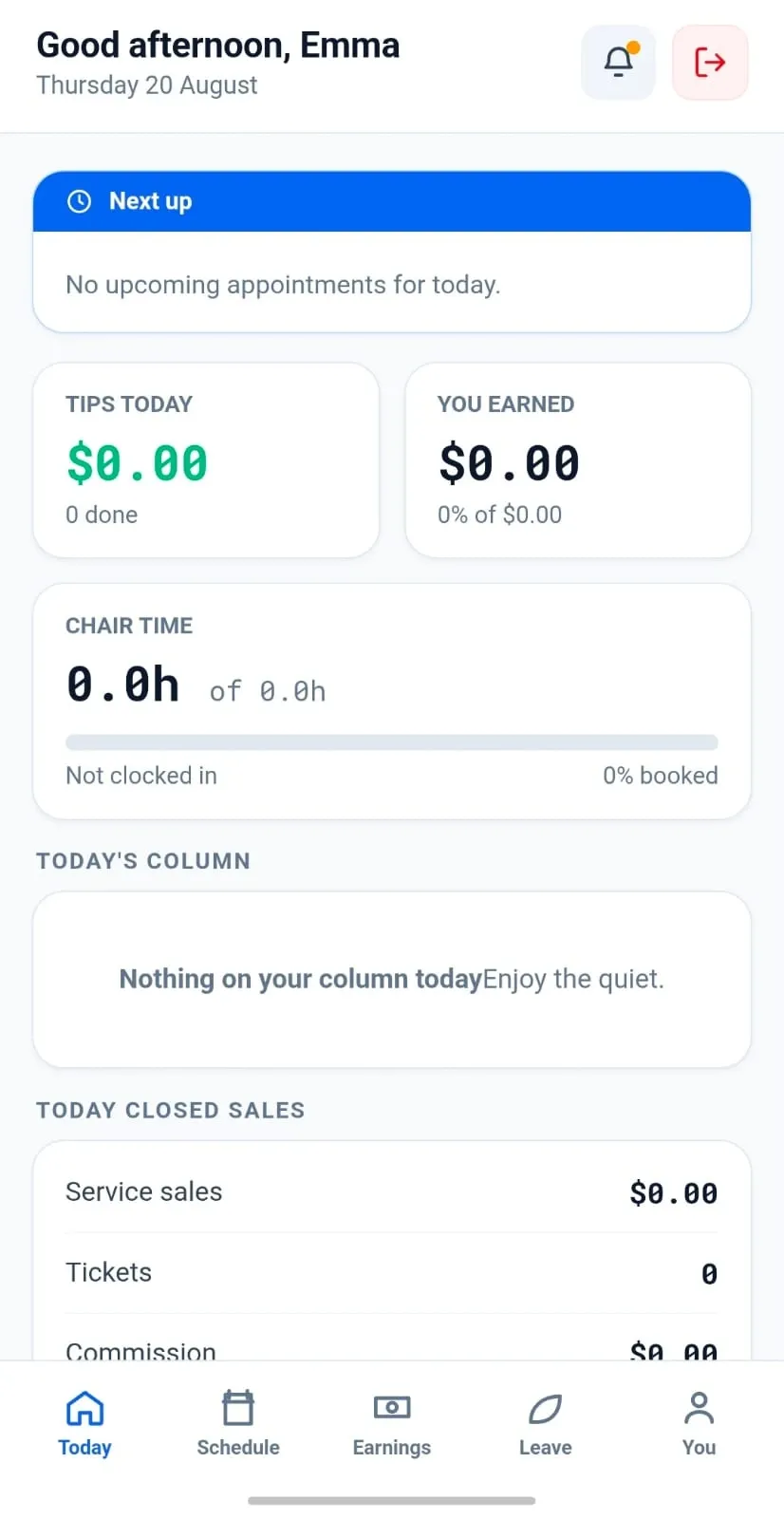
The app your team carries — on whatever phone they own, or in a browser: their own day, their own appointments and what they have earned, without handing a stylist the till or the reporting.
- Their own schedule and today’s appointments
- Client notes and history before the chair
- Commission and tips earned in the period
- Permissions decide what they can see
- Any phone they own, or a browser
Shipping — App Store and Google Play listings coming soon
-
BackOffice
- Web
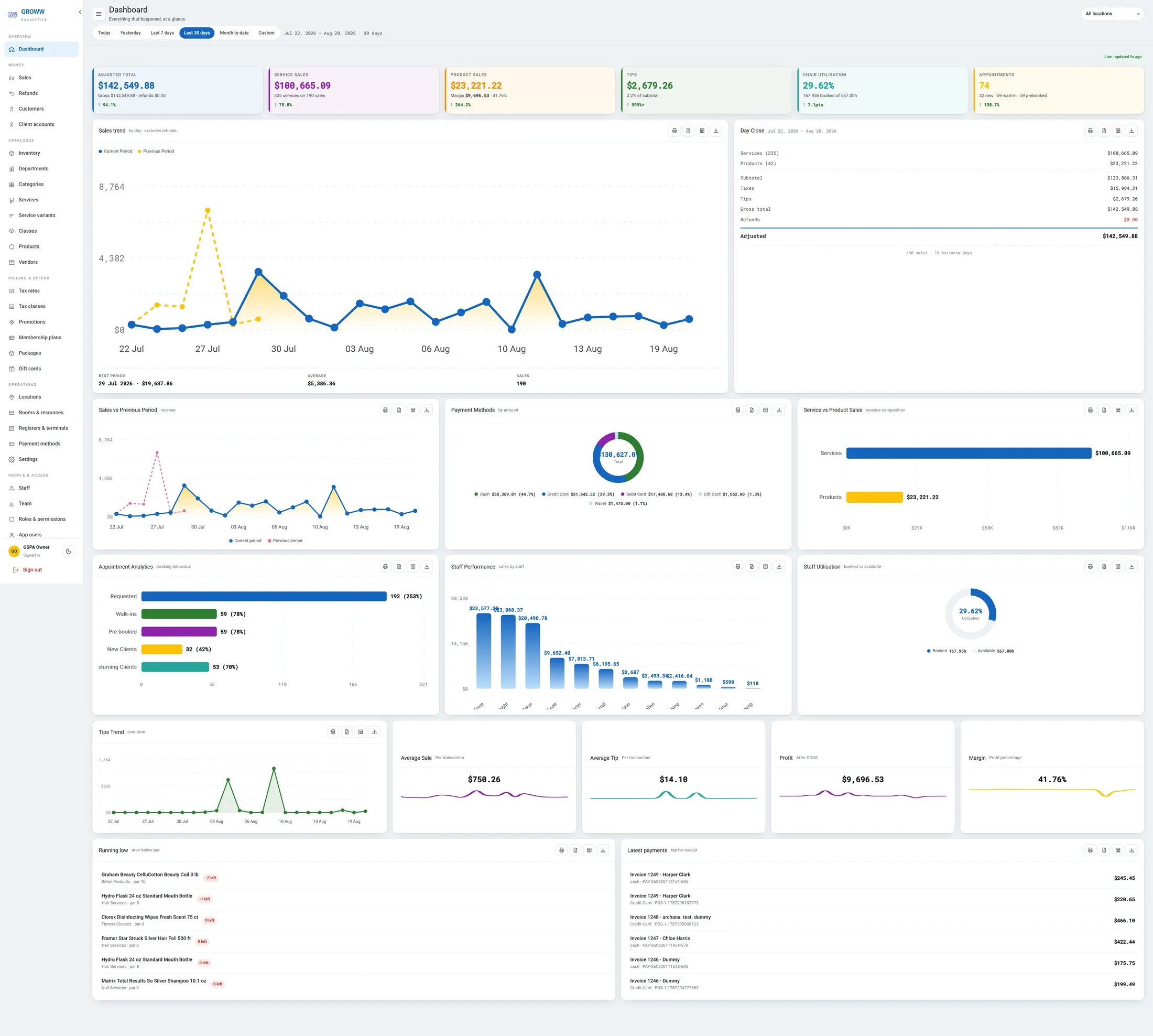
The browser side: catalogue, staff, pay profiles, locations and registers. Opened from the app, so there is nothing extra to install.
- Catalogue, pricing and stock
- Staff, pay profiles and payroll periods
- Locations, registers and permissions
- Runs in any modern browser
- The day close, takings and staff performance
 Works directly in your browser
Included with your account
-
Groww Self Check-In
- Android
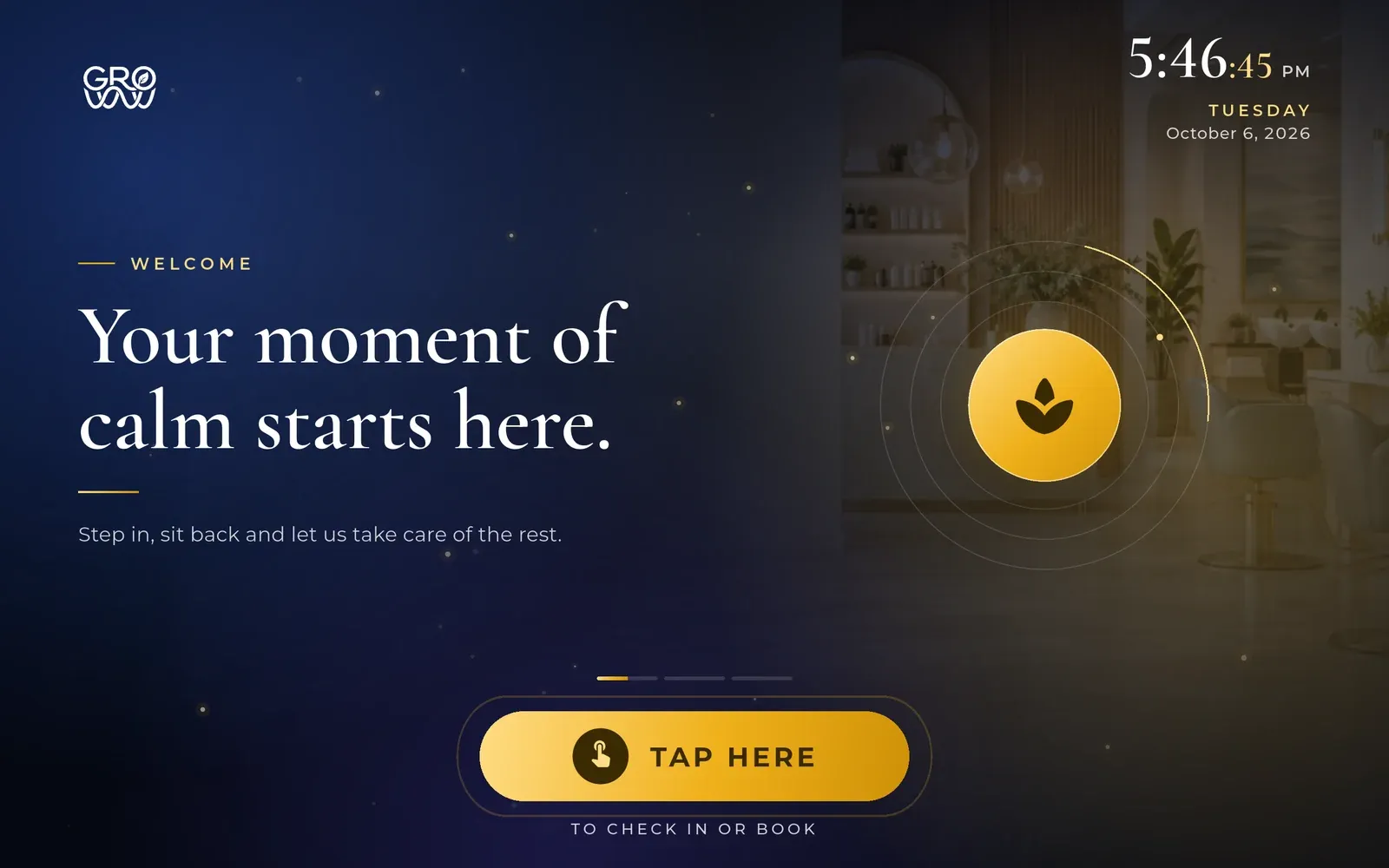
A tablet on the front desk that faces the client rather than the team. Booked clients check themselves in, walk-ins check in or book a slot on the spot, and the screen returns to the start on its own after a set idle time.
- Self check-in for arriving clients
- Walk-ins check in or book a slot on the spot
- Resets to the start screen after a set idle time
In development — details to follow

And what your clients see on theirs
The Groww Customer App runs on iPhone, Android and the browser, because you do not get to choose what phone your clients own. It shows a client their own record and nothing else: their appointments, their points, their membership, their packages, their receipts.
-
Home — what is next and what is expiring -
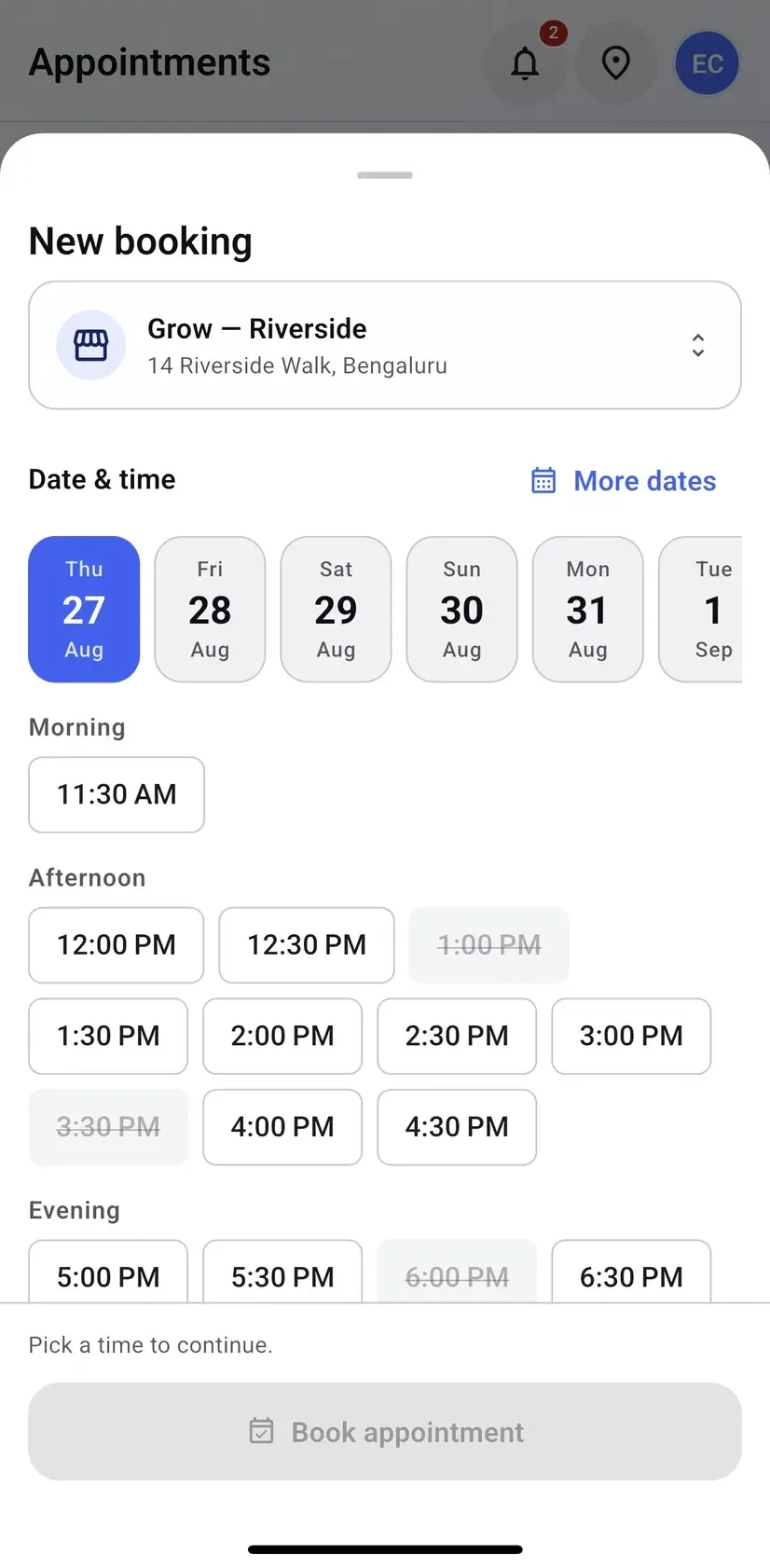
Booking — your real slots, not a copy -
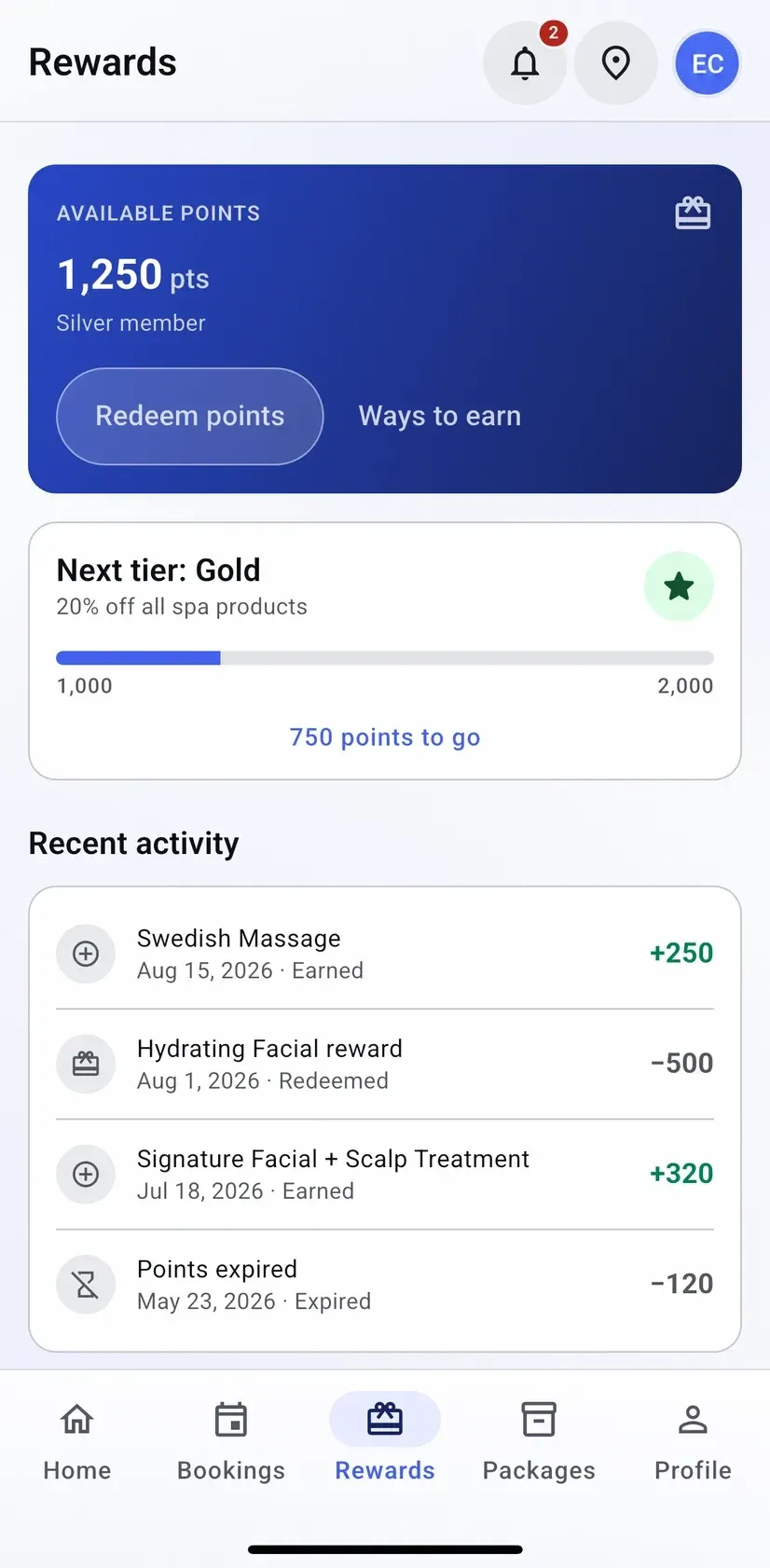
Rewards — the points ledger, in full -
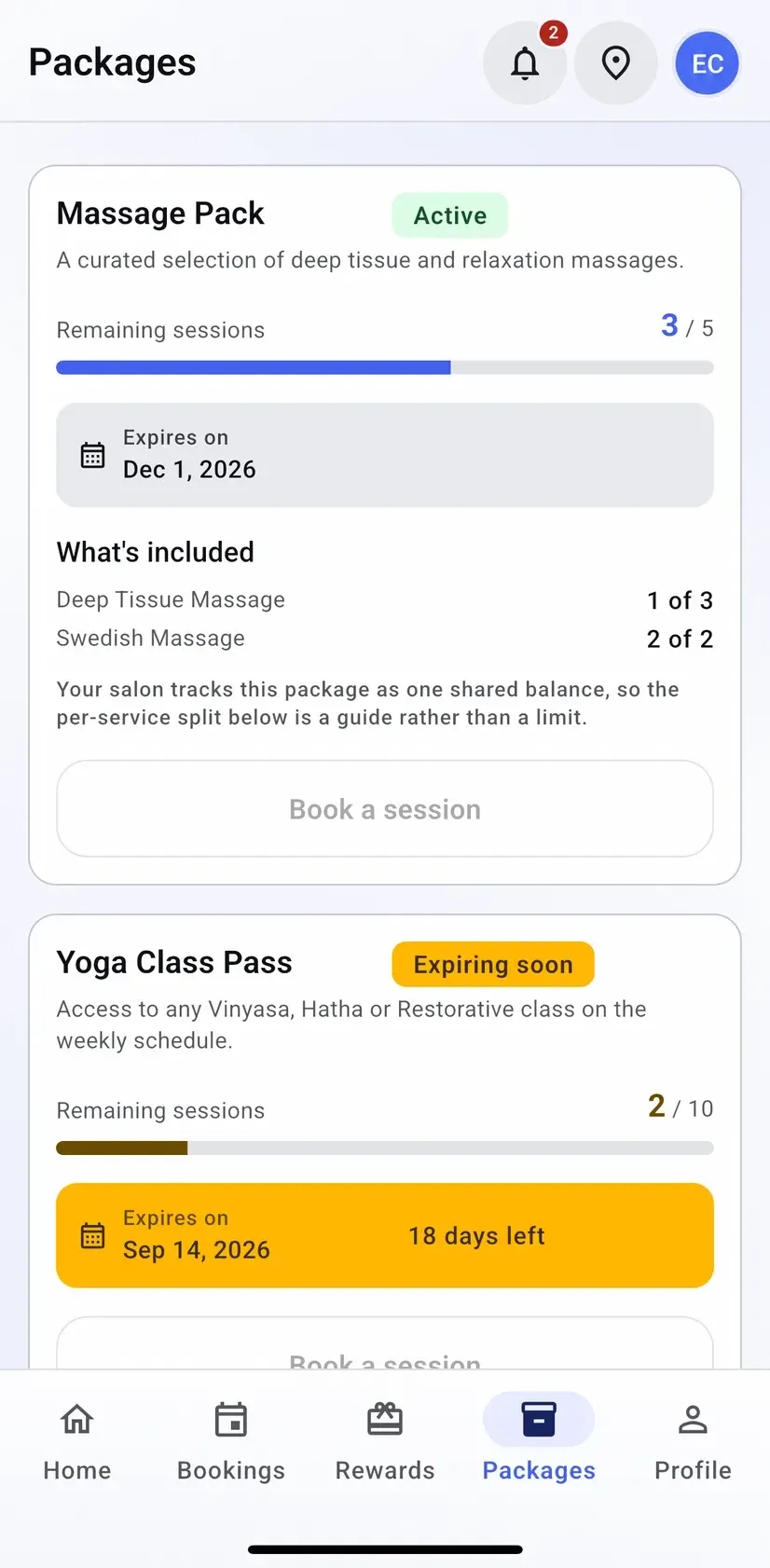
Packages — sessions left and expiry
No invitation flow to run
A client signs in with the email address you already hold for them, so their history, their points and their package balances are there on the first screen rather than starting from zero. Someone you have never served can make an account in a minute.
What the app offers as a bookable slot comes from your day grid — service duration, buffer and cleanup, staff availability and the resource the service needs are all applied before a time button is drawn. That is why the booking sheet strikes some times out instead of pretending the day is wide open.
-
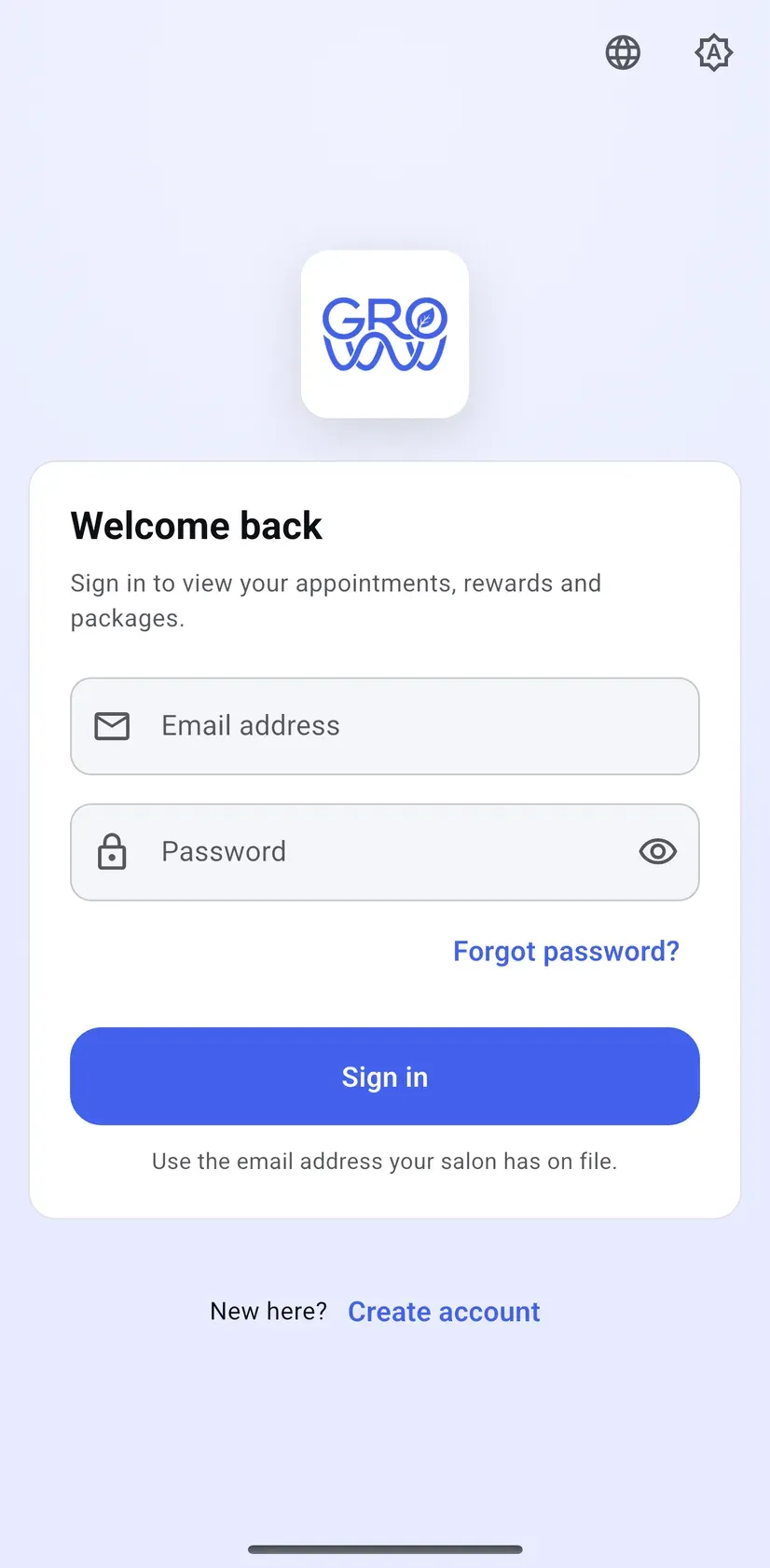
Sign in with the email you already hold -
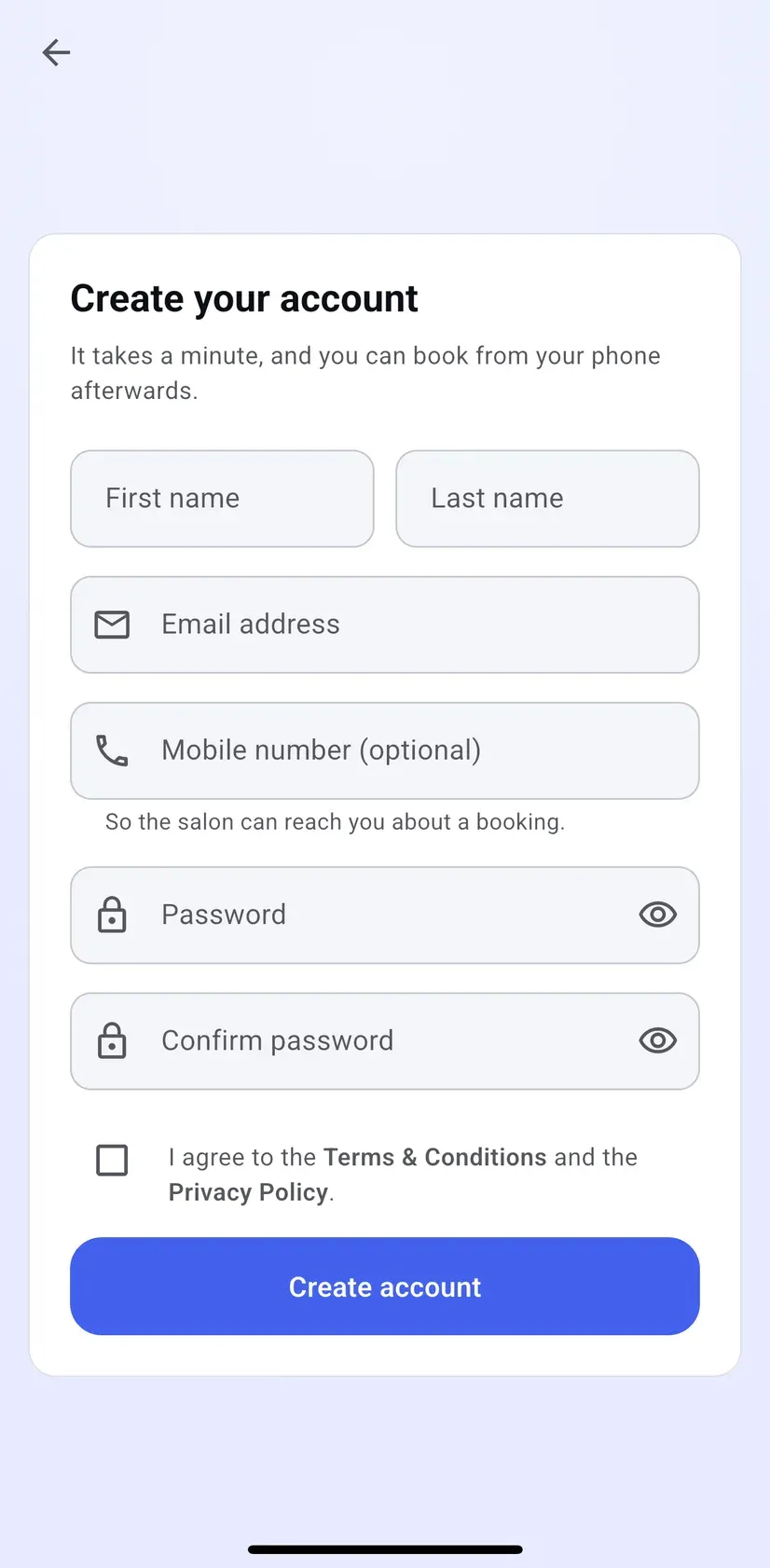
Or make an account in a minute
Not in the customer app yet
Class booking and enrolment, gift card balance lookup, and joining a waitlist. All three are next, and they are on the roadmap rather than described here as though they shipped.
Groww Self Check-In
The front desk that greets them for you
An Android tablet on the front desk that faces the client, not the team. Booked clients check themselves in; walk-ins check in or book a slot from your real calendar — and the screen returns to the start on its own once they step away.
- Self check-in for booked clients
- Walk-ins check in or book on the spot
- Four languages on the welcome screen
- Resets after a set idle time
Checking in
For a client with a booking, and for one who has just walked in.
-
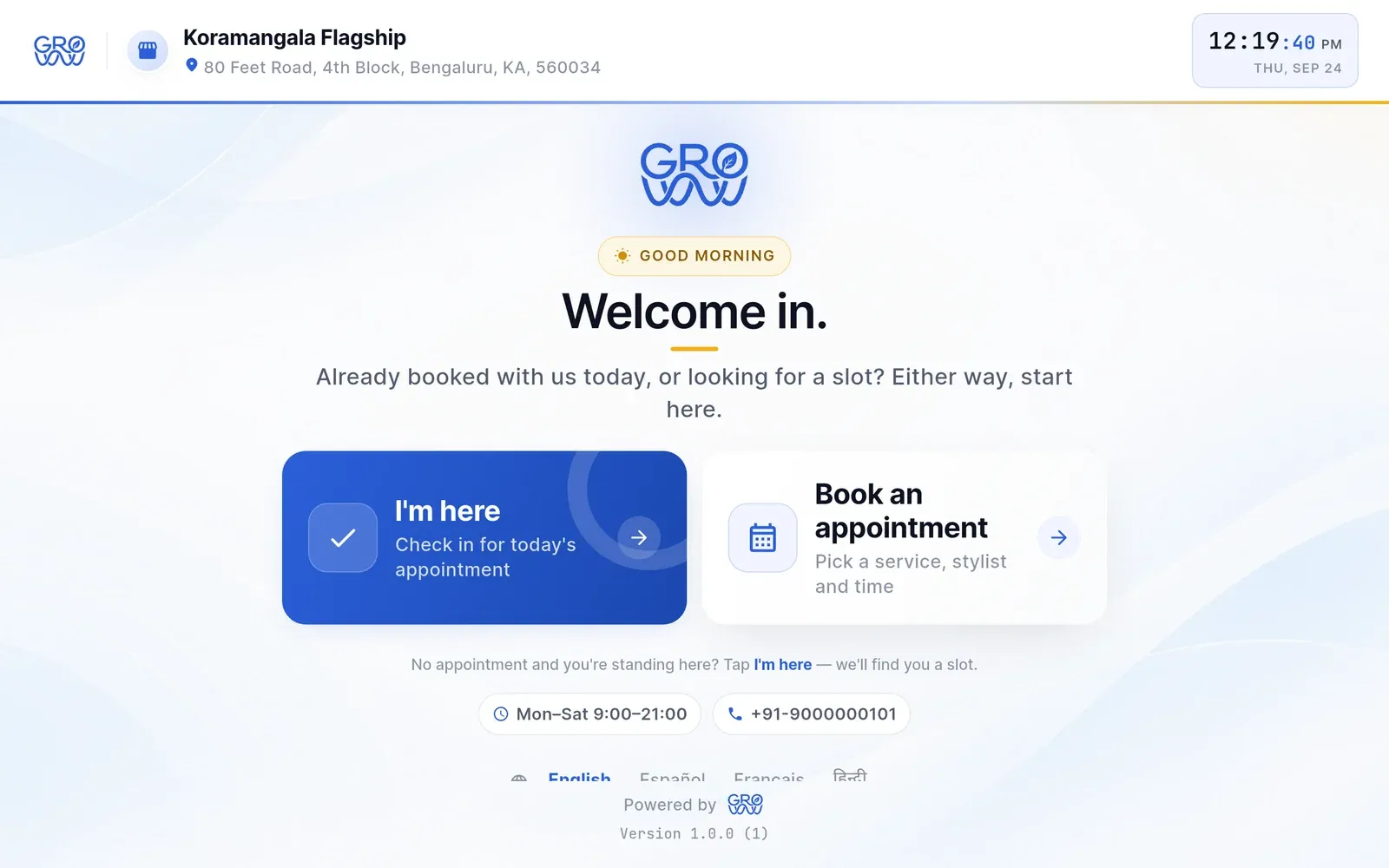
I’m here, or book
Two big choices on the welcome screen, in English, Spanish, French or Hindi.
-
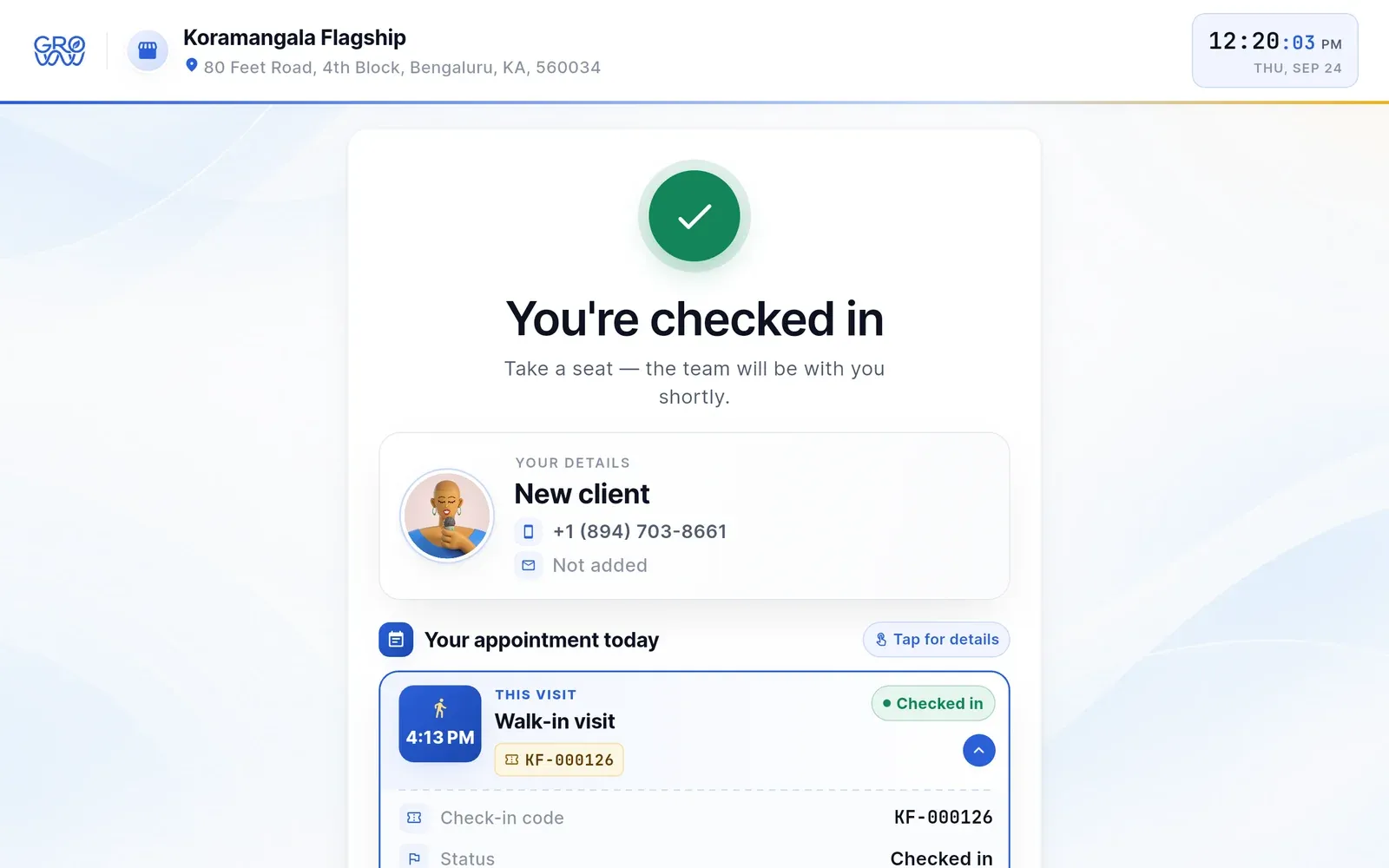
Checked in, with a code
The visit shows as checked in on your calendar — walk-ins included.
-
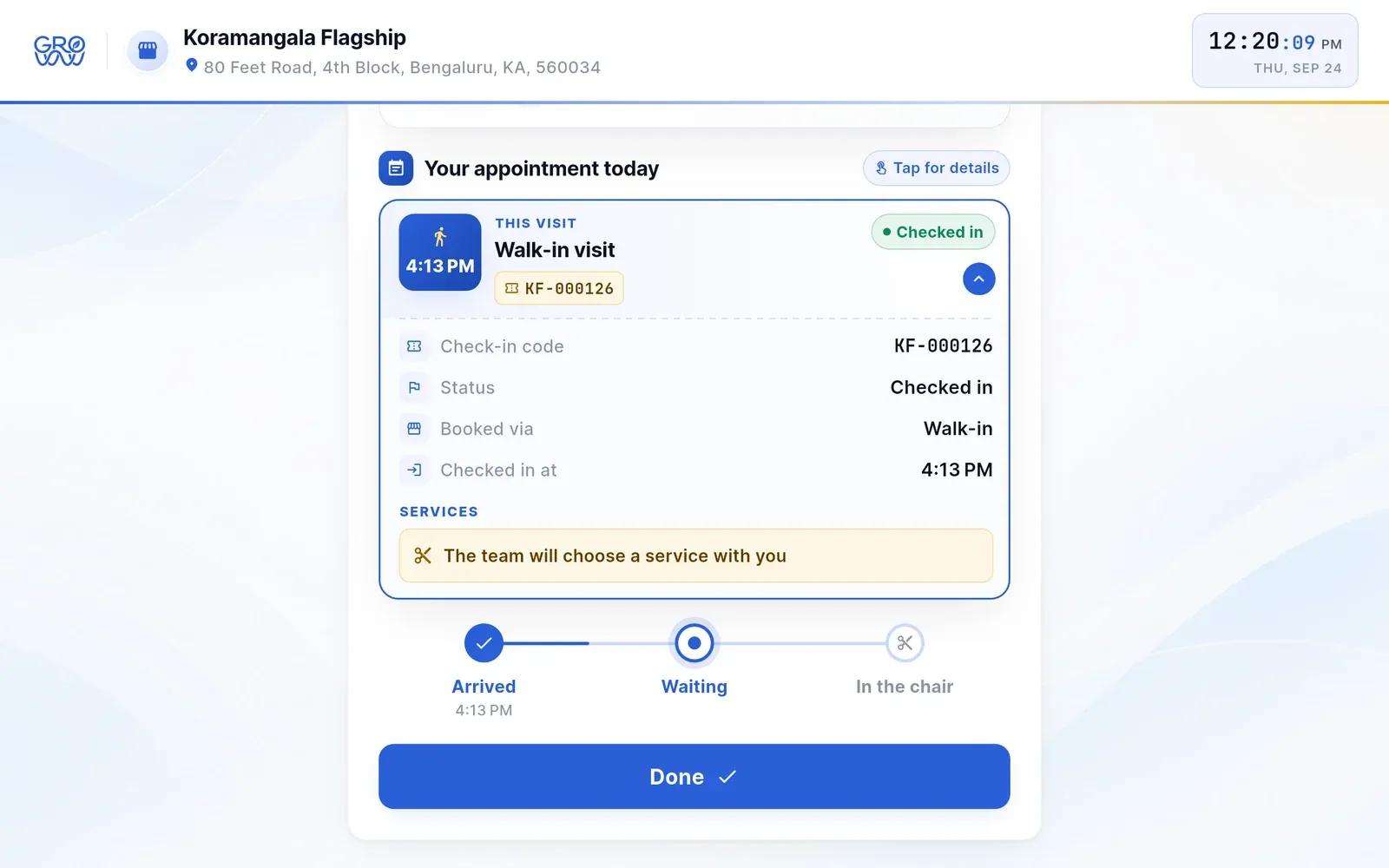
Where they are in the queue
Arrived, waiting, in the chair — and for a walk-in, the team picks the service with them.
Booking on the spot
No appointment? They pick from your real menu and your real calendar.
-
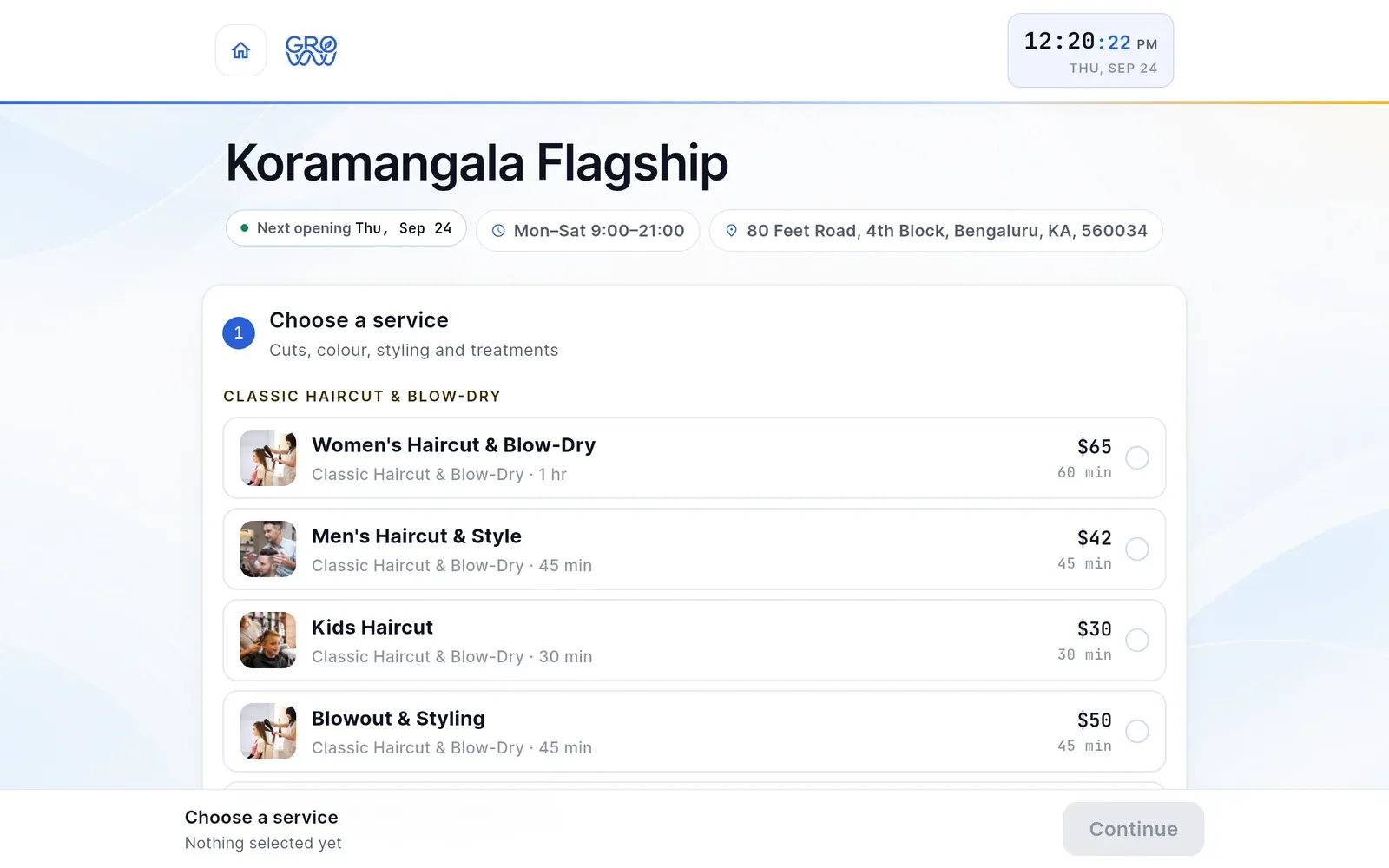
Pick a service
Your menu by category, with the price and the time it takes.
-
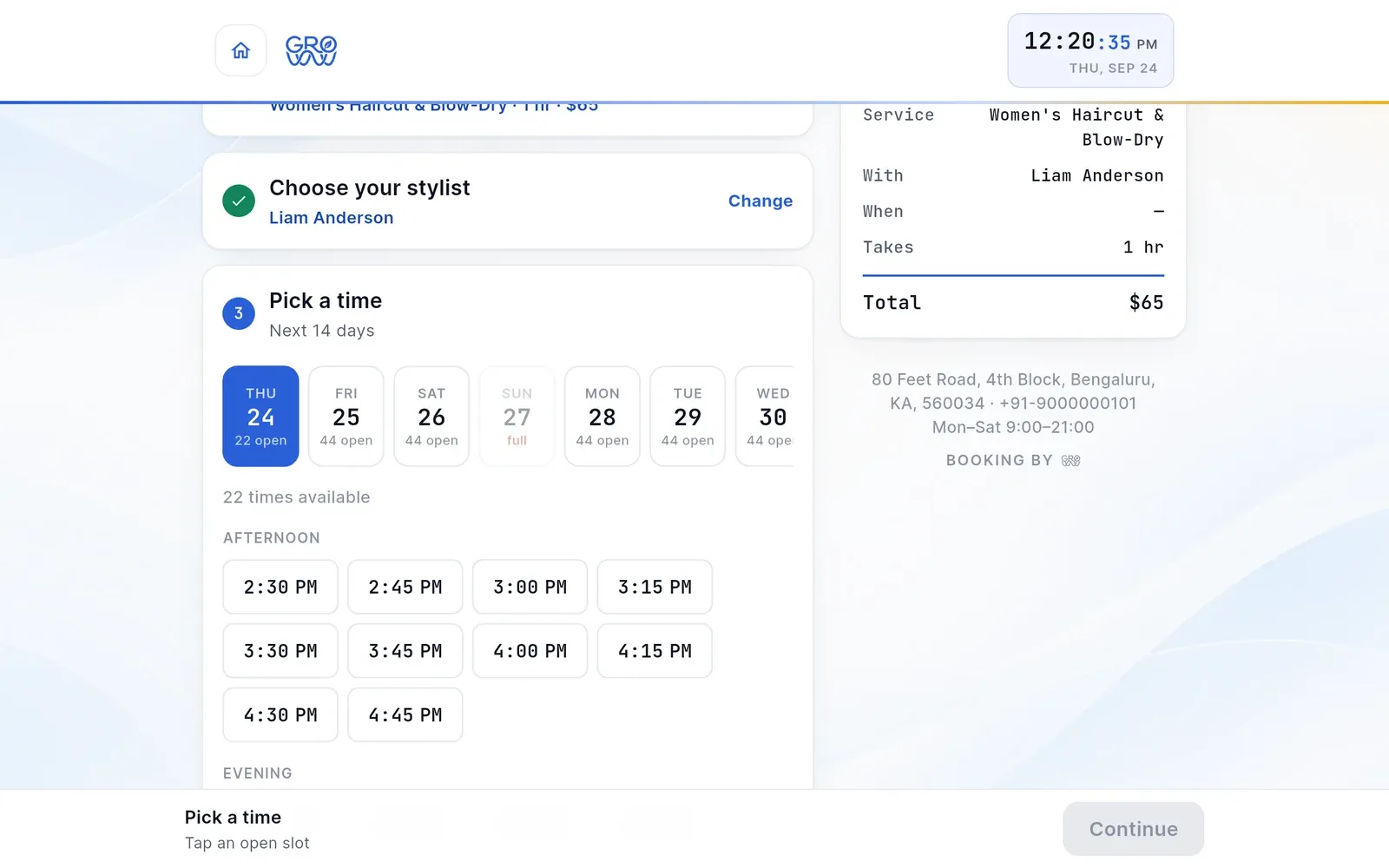
Stylist and time
Open slots for the next 14 days, straight from the stylist’s calendar.
-
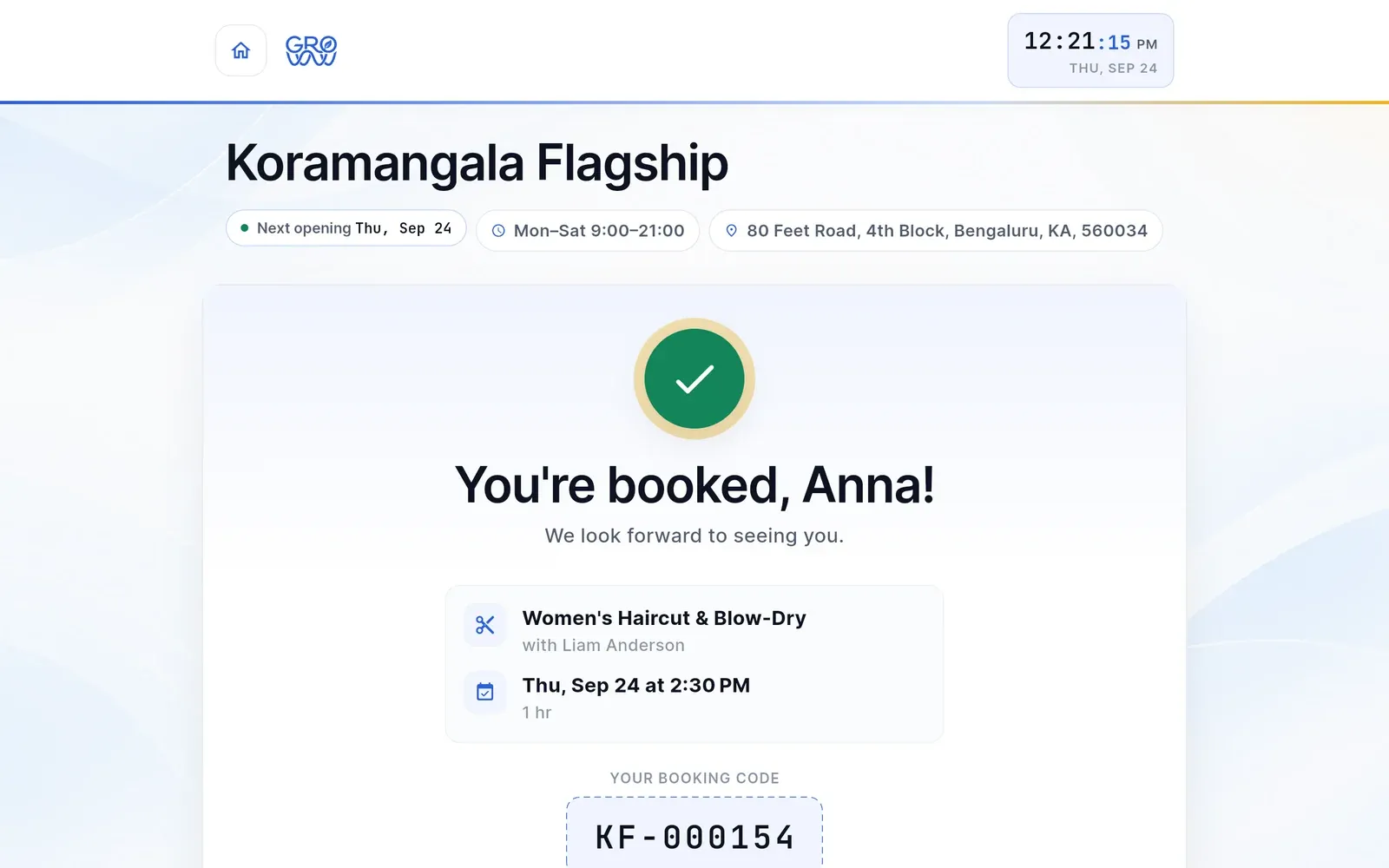
Booked by name
A confirmation with the service, the stylist and the time.
-
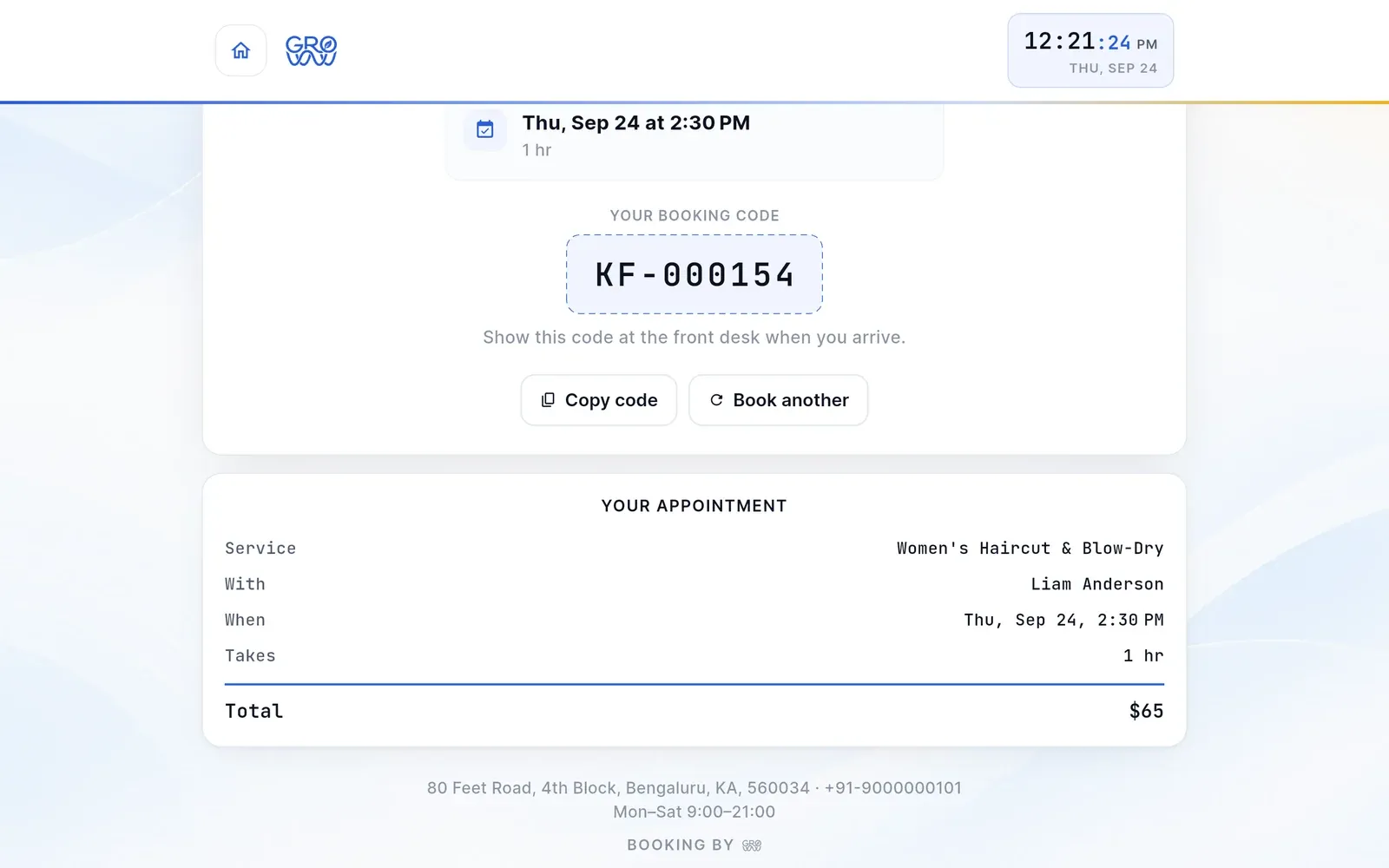
A code for the desk
The booking code and the total — then the screen goes back to the start.
What your team sees on their own phone
Four screens, and none of them is the till. A team member sees their own day, their own roster, their own earnings and their own profile — on an iPhone, an Android phone or in a browser, and what they can see is governed by the same permissions that govern the tablet.
-
Today — what is next, and what it is worth -
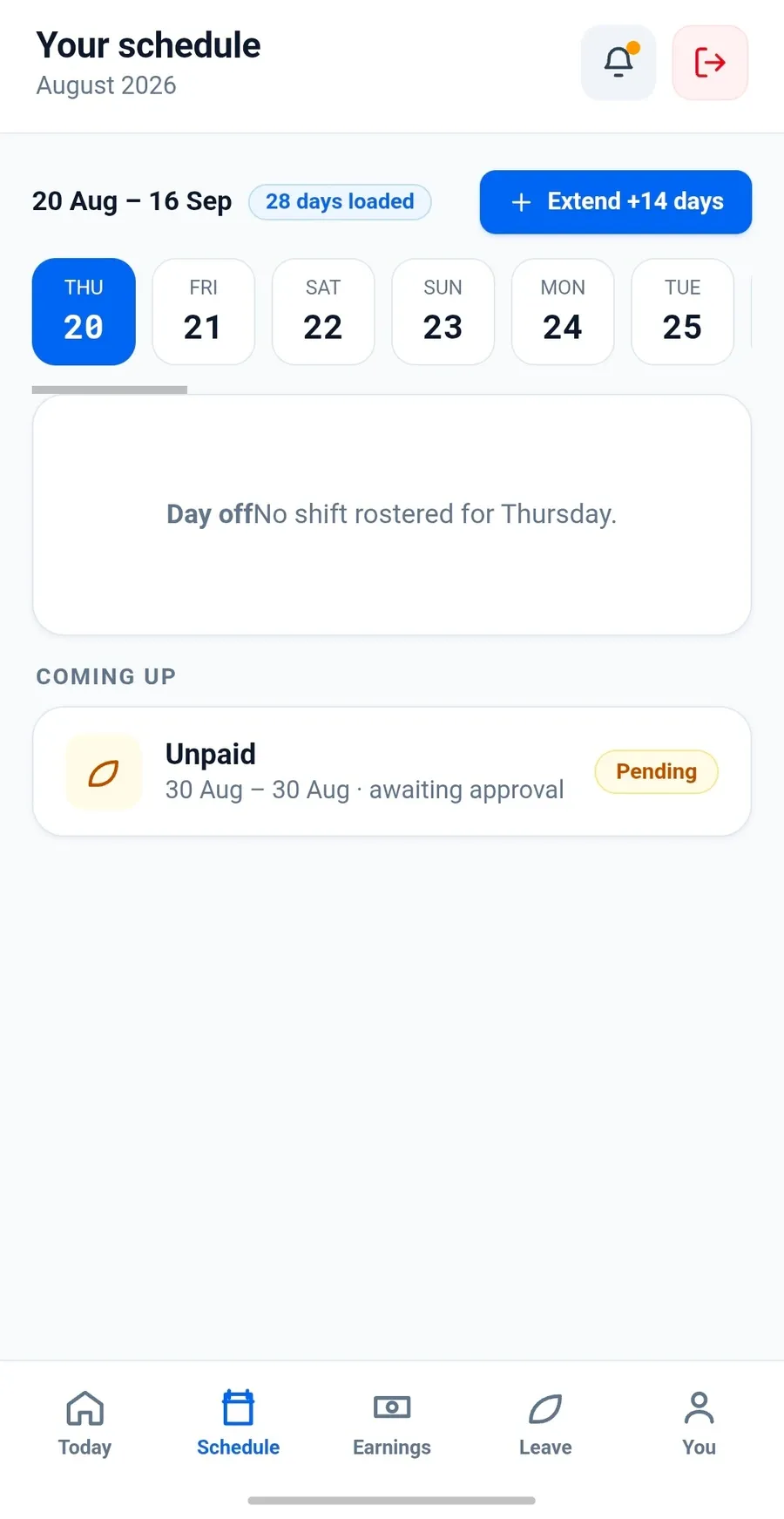
Schedule — roster and leave requests -
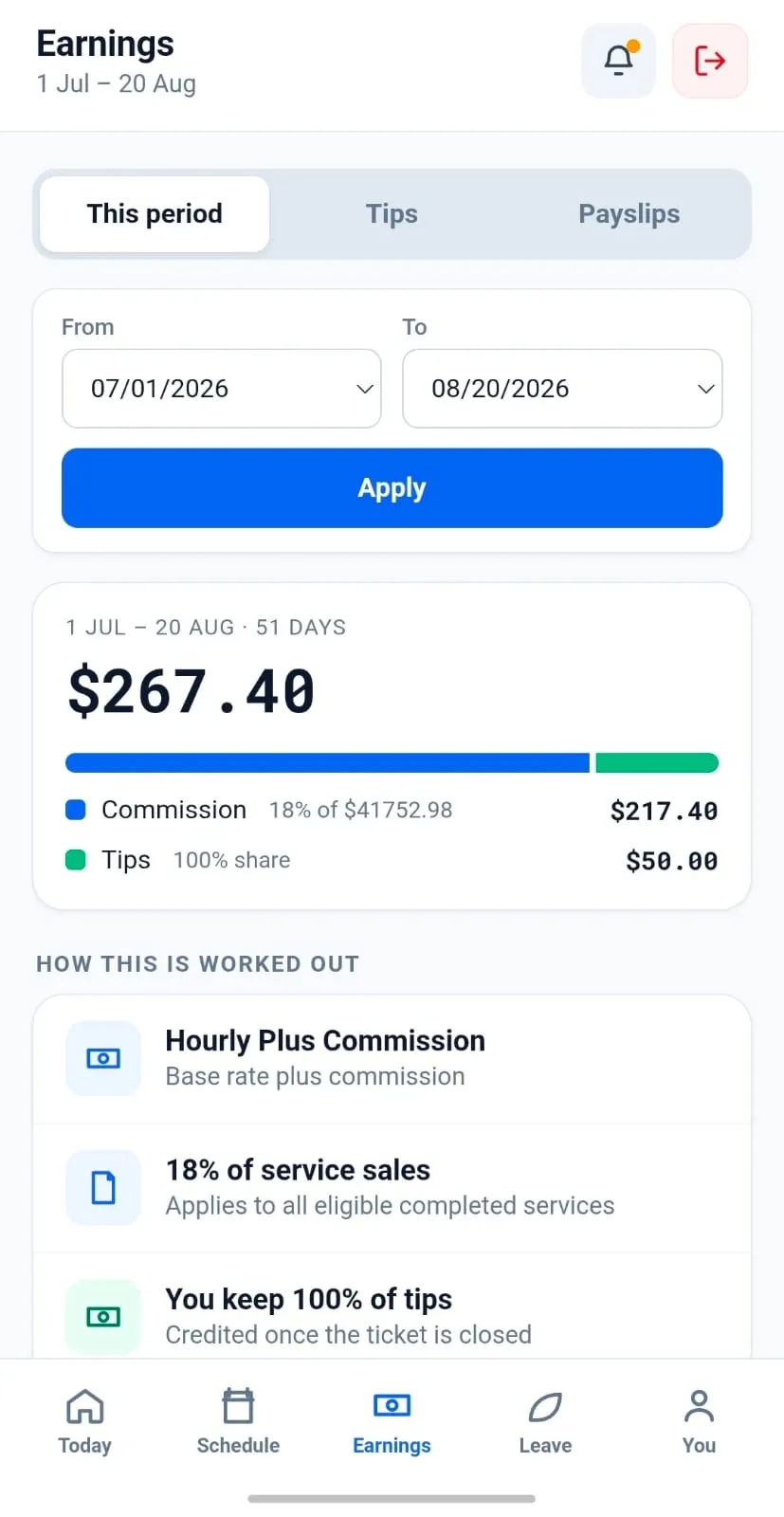
Earnings — and how it was worked out -
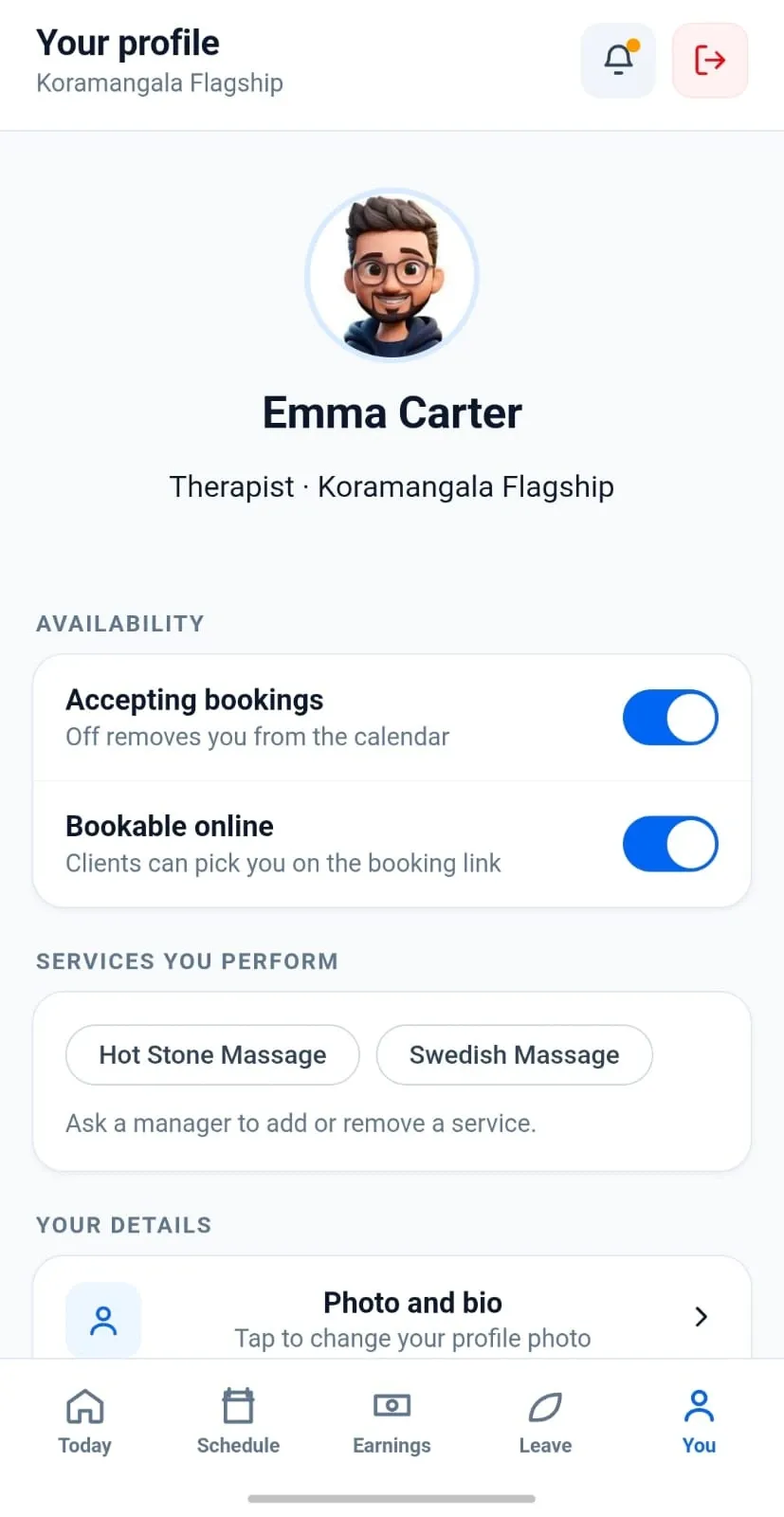
Profile — availability and services
And what you see in BackOffice
The day’s takings, the sales trend, where the money came from and which staff earned it — with the day close and running-low stock on the same screen.
What you need to run it
Android tablet
The POS is the one Android-only piece — a phone screen is too small for the day calendar and the cart. Everything else follows whatever device its user already has.
Your terminal
A PAX terminal on the same local network as the tablet, a Dejavoo terminal reachable over the SPIn cloud proxy, or a Valor terminal.
Optional peripherals
An ESC/POS receipt printer over USB or network, a cash drawer, and a second screen for the customer-facing tip display.
Patchy internet is fine
Offline mode keeps taking sales and uploads them when the connection returns. The network is not a dependency for trading.
Download questions
Where do I download the apps?
None of them is on a public store listing yet — not the POS, not the staff app, not the customer app. Book a demo and we will get you, your team and your clients onto them directly; the moment the listings publish, the badges on this page become real links. BackOffice needs no download at all.
Does it run on a phone?
The staff app and the customer app both do, on iPhone and on Android. The POS itself is built for a tablet, because a phone screen is too small for the day calendar and the cart, so running the whole business from a phone is not something to plan on yet.
What is BackOffice?
The browser side of the same system — catalogue, staff, pay profiles, locations and registers. It opens from the app, so there is nothing extra to install and no separate subscription.
Is the staff app available?
Yes, on iPhone, Android and in a browser — you should not have to care what phone a new hire owns. It puts a team member’s own schedule, client notes and earned commission in front of them; the till, the reporting and everything else stay on the tablet where permissions govern them. It is not on a public store listing yet — we will get your team onto it during onboarding.
Can clients book themselves through an app?
Yes. Groww Customer is the client’s surface on this page: clients sign in with the email address you already hold, see their appointments, points, membership and package balances, and book their next appointment against your real calendar. Class enrolment, gift card balances and the waitlist are not in it yet — those are next.
Is the customer app a marketplace?
No, and it is not going to become one. It shows a client the businesses they already deal with. There is no discovery feed, no ranking, and no commission on a booking made through it — that is a decision on the roadmap, not a feature waiting to be built.
Do I need an iPad?
No, and an iPad will not run the POS either — that one is an Android tablet application, as is Groww Self Check-In, and they are the only pieces with a hardware requirement. Groww Staff and Groww Customer run on iPhone, Android and the web, because you do not get to choose what phone your team and your clients own.
No listing yet — but the app is real
Book a demo and we will put Groww POS on a tablet in front of you, terminal included.