

Feature
Staff & payroll
Availability, service specialties, pay profiles, commission rules and payroll periods — settled from the sales the system already recorded rather than a spreadsheet rebuilt each period.
- Your terminal, your negotiated rate
- No marketplace commission
- Gift card, loyalty and split tenders
What it does
Everything on this list is in the product today. What is not built is on the roadmap, not in this column.
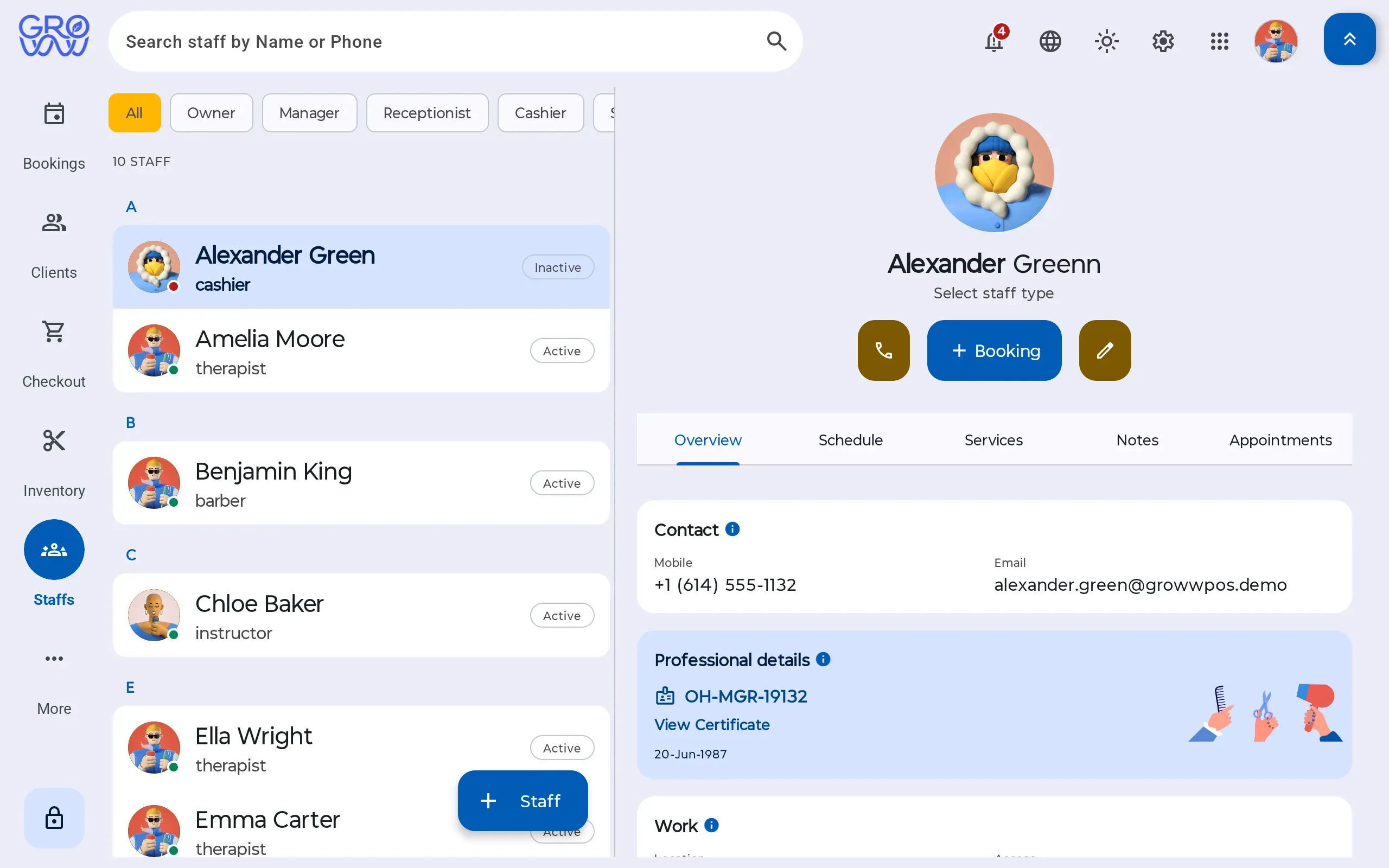
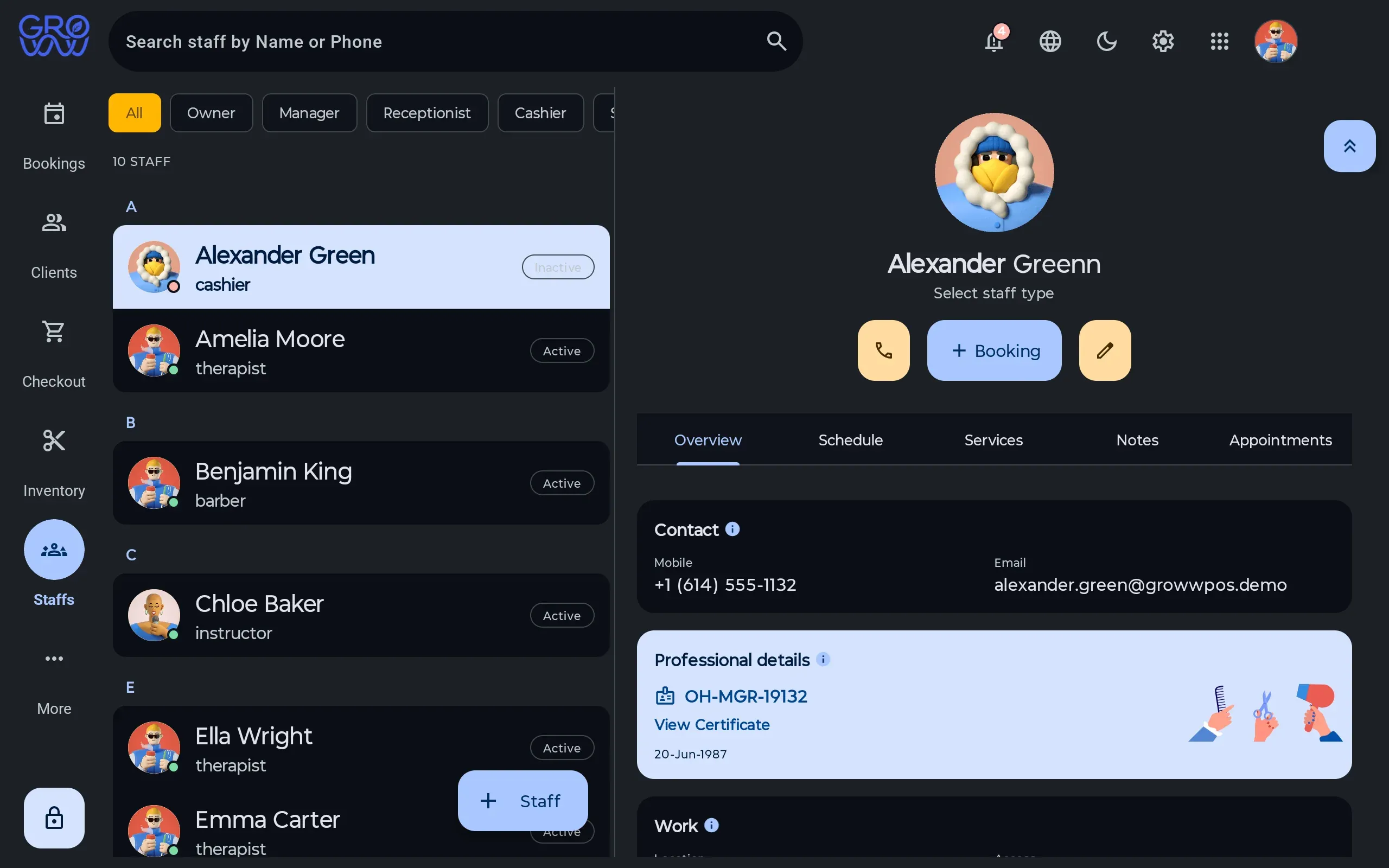
- Staff records with multi-location assignment The person who covers two branches is one record, not two half-maintained ones.
- Service specialty mapping — who can perform what Booking can only offer a service to someone qualified to do it.
- Availability windows per staff member The calendar and online booking read the same availability, so they cannot disagree.
- Pay profiles, including commission and rent arrangements A percentage arrangement and a chair rent arrangement run side by side in one location.
- Per-service commission rules A colour and a blow-dry can pay differently without a spreadsheet to translate them.
- Payroll periods, payouts and settlement The period is a report over sales the system already recorded, not a reconstruction.
- Staff credit allocated on invoices The ticket records who performed the service, which is what makes the arithmetic checkable.
- Roles and permissions, down to discounts, voids and refunds The actions that carry money are permissions, and every use is in the audit trail.
Payroll should be a report, not a project
Commission is only painful when the sale and the pay rule live in different systems. Here they do not: the ticket records the performer, the rule prices the performance, and the payroll period adds it up. What is left is checking it, which is the part a human should be doing anyway.
Permissions are a staffing feature
Deciding who can discount, who can refund and who can see the numbers is a management decision that software either supports or quietly undermines. Roles and permissions cover the actions that carry money, and the audit trail records them.
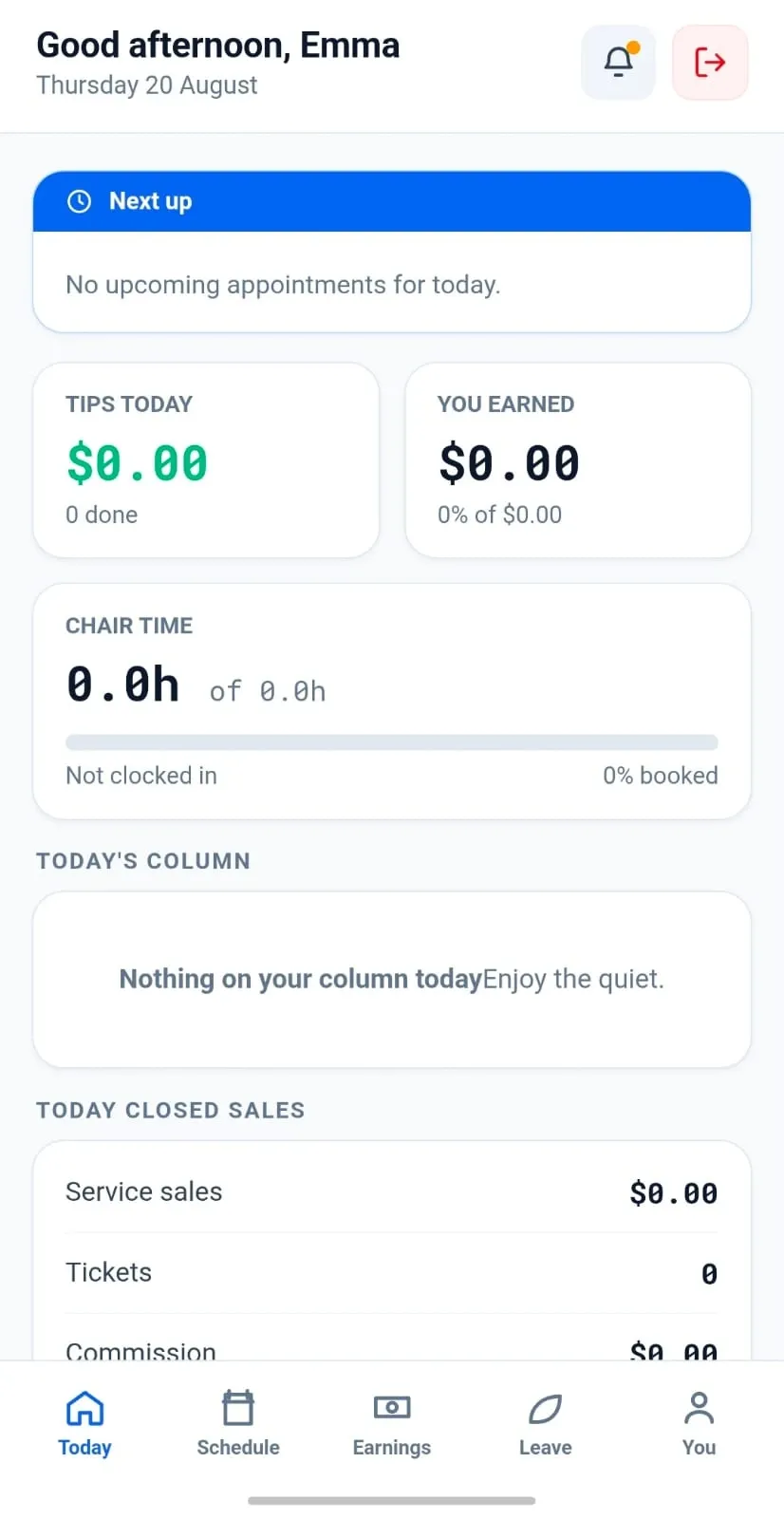
Show each person their own day
The staff app opens on what is next — the client, the service, and the chair time already booked. Nobody has to ask the front desk what the afternoon looks like, and nobody reads the whole diary to find their own three appointments.
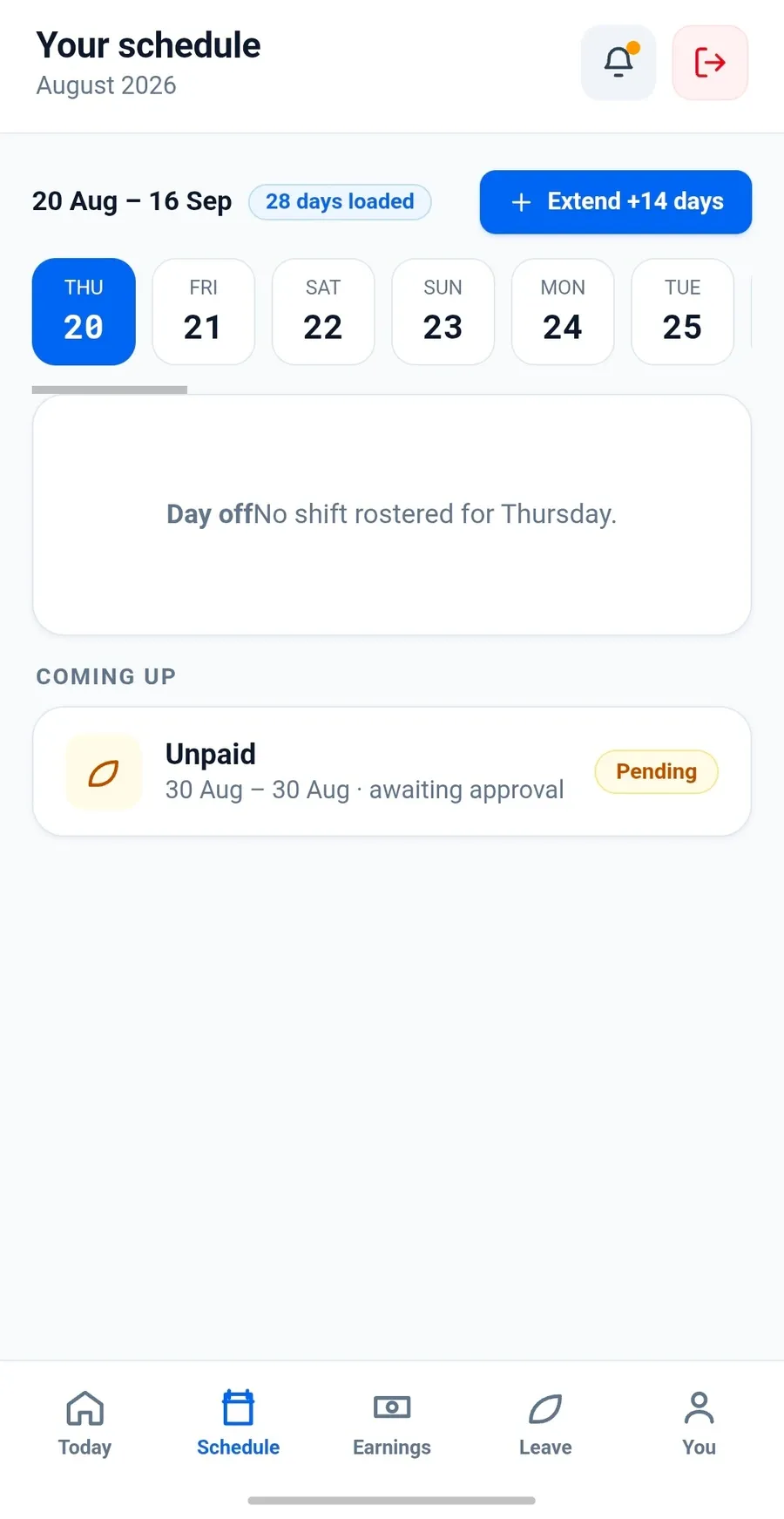
Let the roster answer for itself
Shifts, days off and leave requests sit in the same app, so a request arrives as something to approve rather than a text message at nine on a Sunday. Availability windows feed the booking calendar directly, which is what stops a client booking a chair nobody is sitting in.
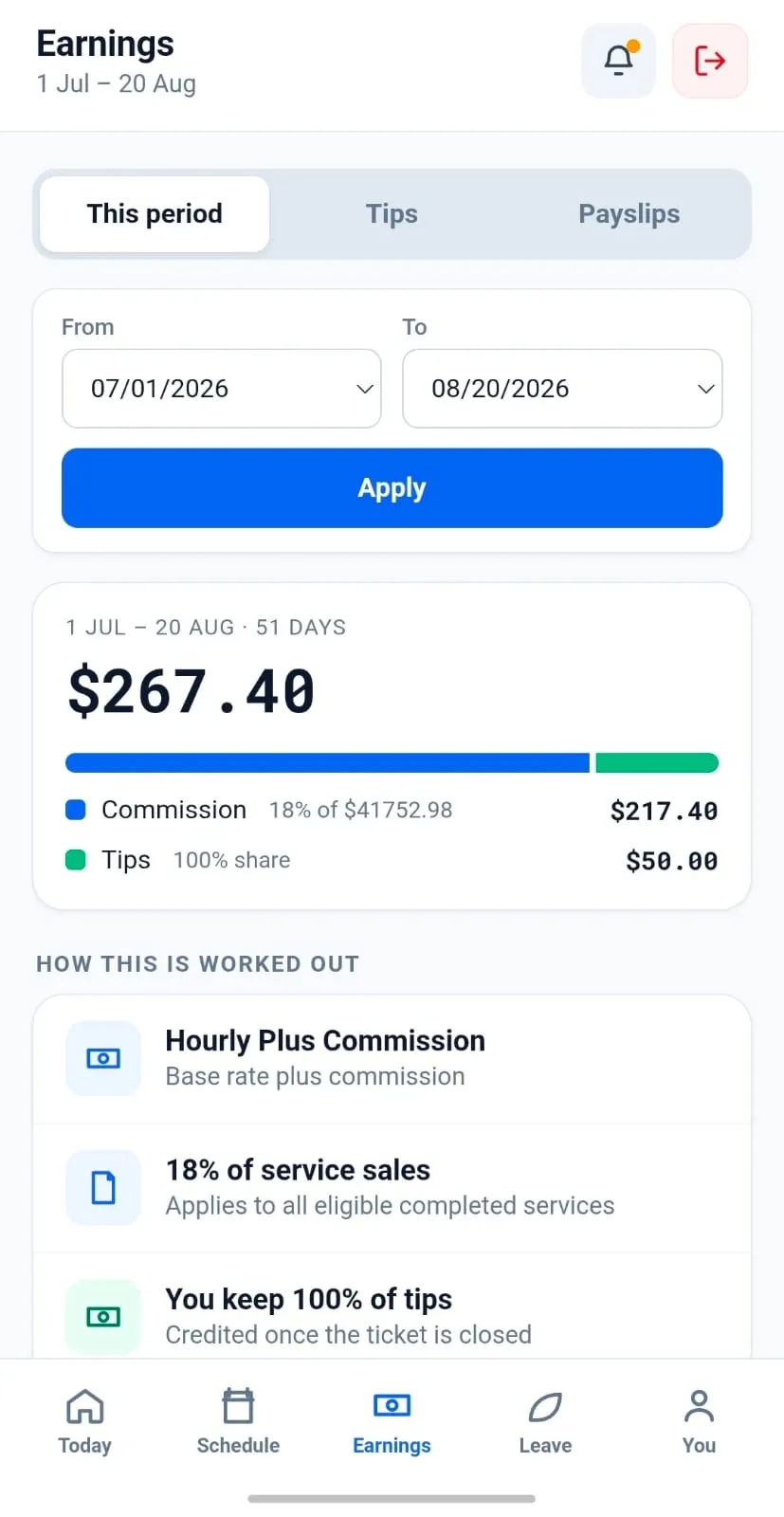
Make the commission arithmetic visible
Earnings show the rate, the sales it was applied to and the tips kept in full — the same figures the payroll period settles from. A number a team member can check is a number that stops being argued about at the end of the month.
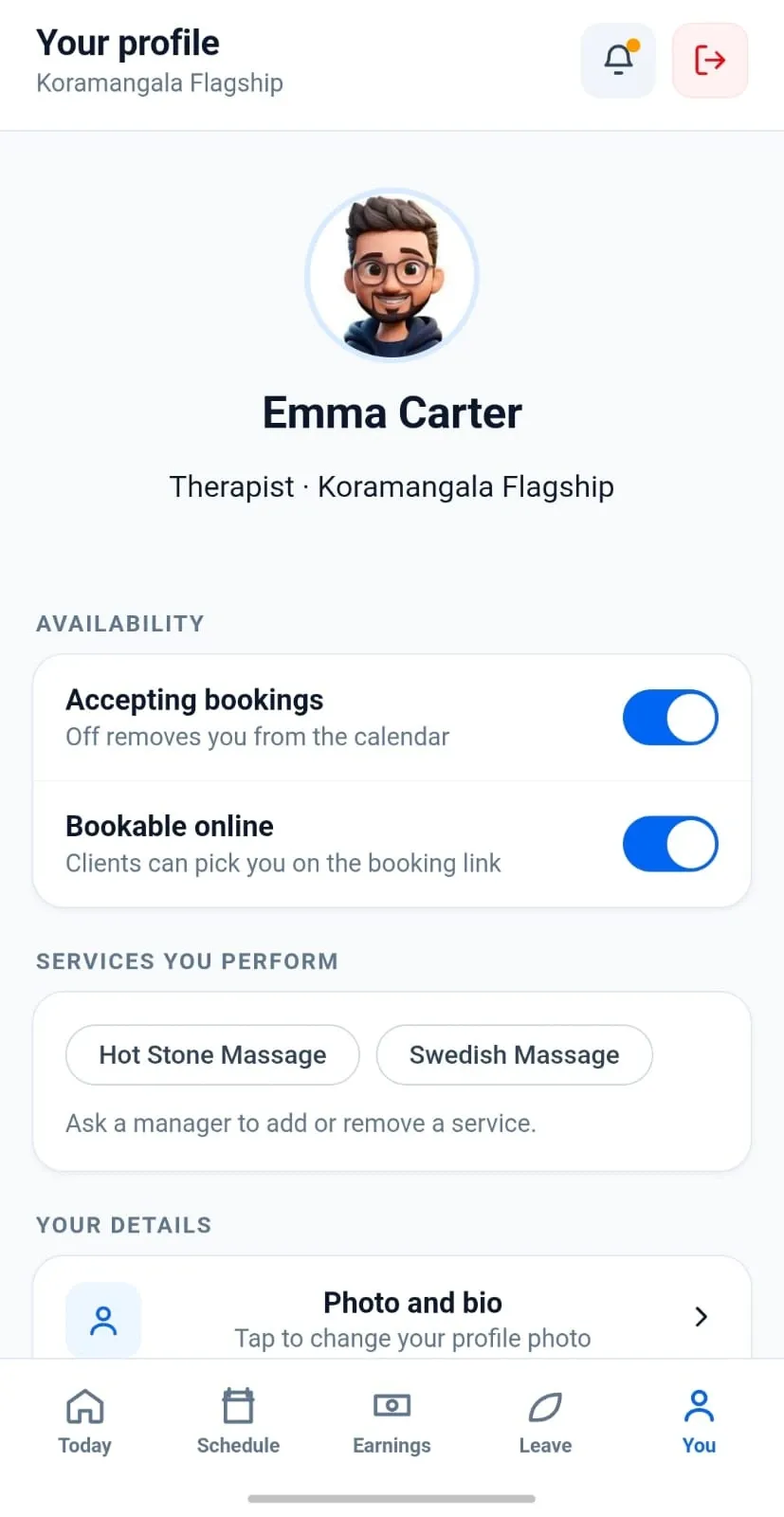
Keep availability and specialties with the person
Who performs what, and when they are accepting bookings, lives on the staff record rather than in the manager's head. Change either one and the calendar and the online booking flow both follow, because they are reading the same record.
Switch with zero downtime
Changing software mid-season is the thing every owner dreads. Here is exactly how it goes.
- 1
We import your data
Clients, services, staff, price list and future appointments — from a spreadsheet or an export from your current platform.
- 2
You keep trading
Run both systems for a week if you want. Nothing is switched off until your team says so.
- 3
Your terminal stays
PAX, Dejavoo or Valor — the hardware you already own and the rate you already have. No re-application, no new merchant account.
Questions we get asked
Can commission staff and rent-paying staff work in the same location?
Yes. Pay profiles are per staff member, so a percentage arrangement and a chair or booth rent arrangement can run side by side.
Does commission come from the actual sales?
Yes. The sale already records who performed the service and what it was worth, so the payroll period is a report over the ledger rather than a reconstruction.
Can I stop staff from discounting?
Yes. Discounts, price overrides, voids and refunds are permissions, and every use is recorded in the audit trail.
Works with
- Point of sale A cart that holds services, retail, packages and deposits together, with multi-rate tax, promotions, tips and any combination of tenders settling in one transaction.
- Clients One record per client with visit history, notes, reminders, loyalty balance, package balances and membership entitlement — and no marketplace sitting between you and them.
Explore every feature
Scheduling & checkout
Clients & staff
- Clients
- Memberships & packages
- Gift cards
- Staff & payroll
Keep your terminal. Keep your rate. Keep every feature.
Groww POS runs on the PAX, Dejavoo or Valor terminal you already own — no features held back, no marketplace commission.