

Feature
Promotions & discounts
Promotion rules that apply themselves at the till, discounts that only the right staff can give, and a record of every override for whenever someone asks.
- Your terminal, your negotiated rate
- No marketplace commission
- Gift card, loyalty and split tenders
What it does
Everything on this list is in the product today. What is not built is on the roadmap, not in this column.
- Promotion rules with targets — which services or products qualify The rule decides what qualifies, so the offer does not depend on who is on the till.
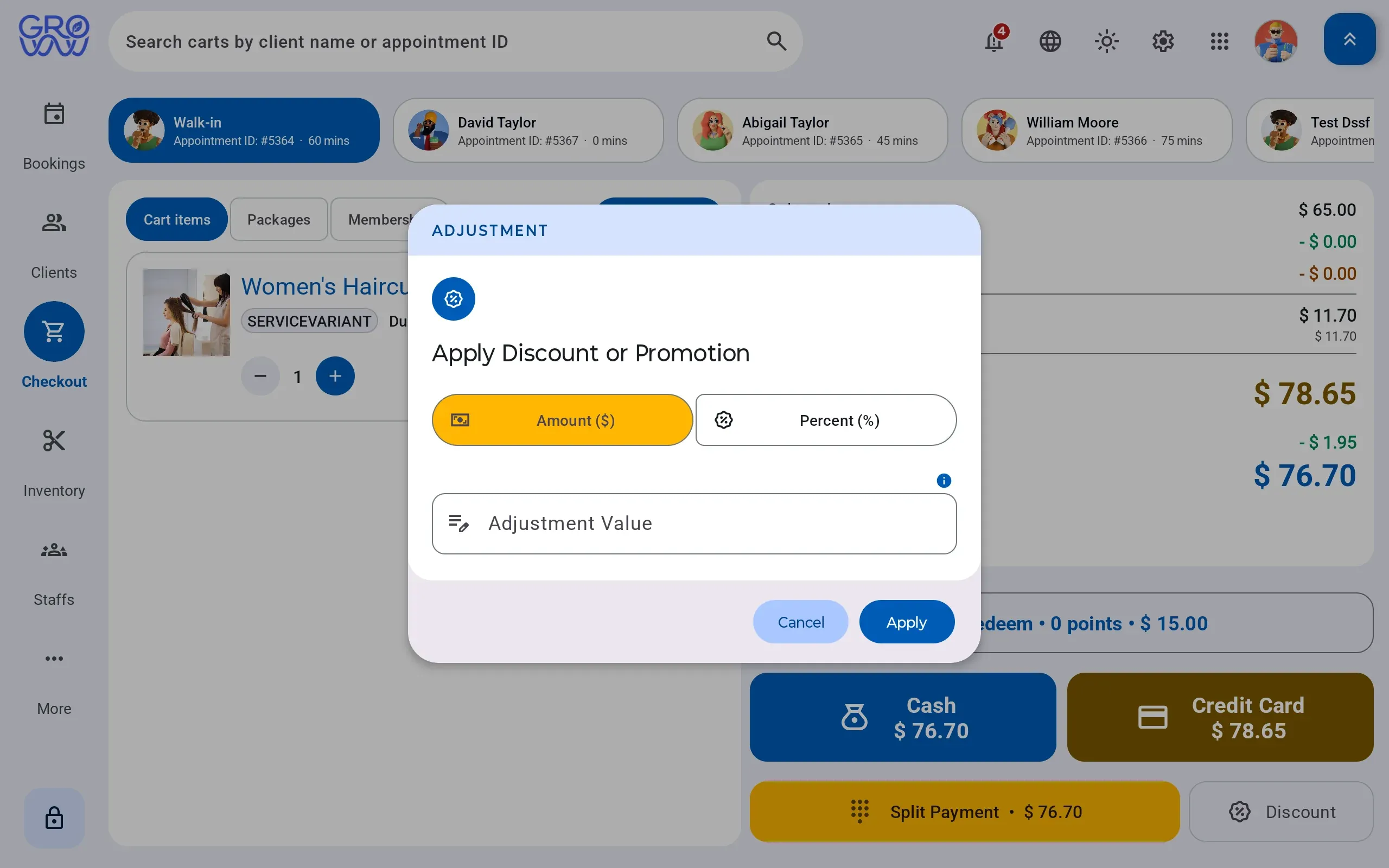
- Discounts applied at the point of sale Applied to the sale as it is built, and priced correctly against tax.
- Price overrides gated by role permission Who can override a price is a management decision the software actually enforces.
- Multi-rate tax handled correctly against discounted lines A discounted line still carries the right rate — the arithmetic is not left to the operator.
- Every discount, override and void recorded in the audit trail For the day someone asks why a sale was forty pounds lighter.
- Promotion performance visible in reporting Whether the offer paid for itself is a question with an answer.
Discounting is a permissions problem wearing a pricing costume
Every business in this category discounts. The question is never whether — it is who, how much, and whether anyone can tell afterwards. When discounting means typing over a price, the answer to all three is “nobody knows”.
Groww POS makes the discount a structured thing: a rule with a target, or an override that a role either can or cannot perform, recorded either way.
The quiet part: tax
A discount changes the taxable amount. Systems that treat discounting as a manual price edit get this wrong in a way that is invisible until a filing. Multi-rate tax applies to the discounted line, automatically.
Switch with zero downtime
Changing software mid-season is the thing every owner dreads. Here is exactly how it goes.
- 1
We import your data
Clients, services, staff, price list and future appointments — from a spreadsheet or an export from your current platform.
- 2
You keep trading
Run both systems for a week if you want. Nothing is switched off until your team says so.
- 3
Your terminal stays
PAX, Dejavoo or Valor — the hardware you already own and the rate you already have. No re-application, no new merchant account.
Questions we get asked
Can I stop staff discounting whatever they like?
Yes. Discounts and price overrides are permissions attached to a role, and every use is written to the audit trail with who did it and when.
Do discounts calculate tax correctly?
Yes. Tax is multi-rate and applies to the discounted amount, which is the part that usually goes wrong when discounts are handled by editing a price by hand.
Can a promotion apply to some services only?
Yes — promotion targets decide what qualifies, so a Tuesday offer on colour does not quietly discount retail as well.
Works with
- Point of sale A cart that holds services, retail, packages and deposits together, with multi-rate tax, promotions, tips and any combination of tenders settling in one transaction.
- Staff & payroll Availability, service specialties, pay profiles, commission rules and payroll periods — settled from the sales the system already recorded rather than a spreadsheet rebuilt each period.
Explore every feature
Scheduling & checkout
Clients & staff
Stock & scale
- Retail & inventory
- Promotions & discounts
- Multi-location
- Offline mode
- Security
- Hardware
- Download the apps
Keep your terminal. Keep your rate. Keep every feature.
Groww POS runs on the PAX, Dejavoo or Valor terminal you already own — no features held back, no marketplace commission.